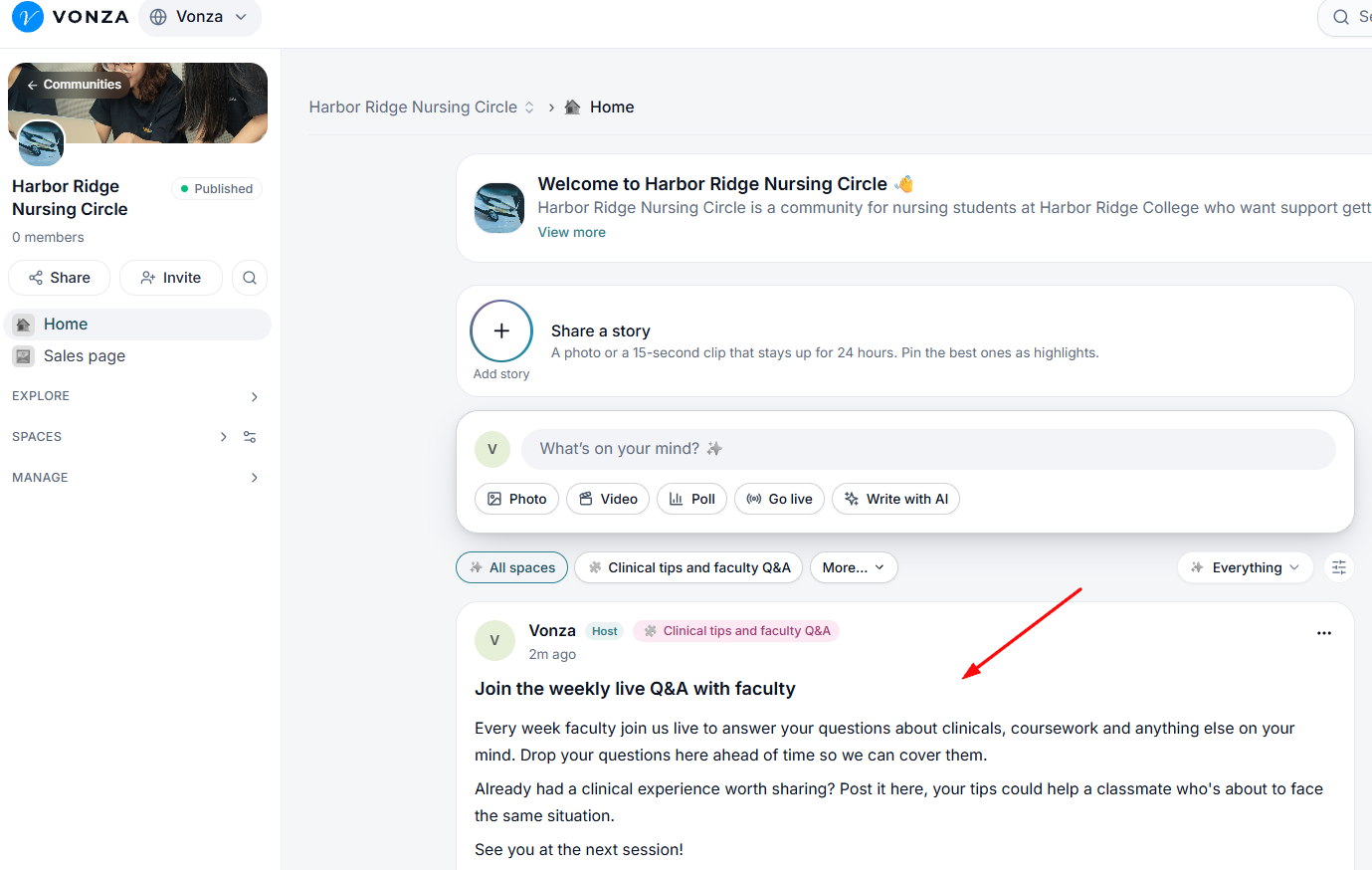
You can create a community with Vonza AI.
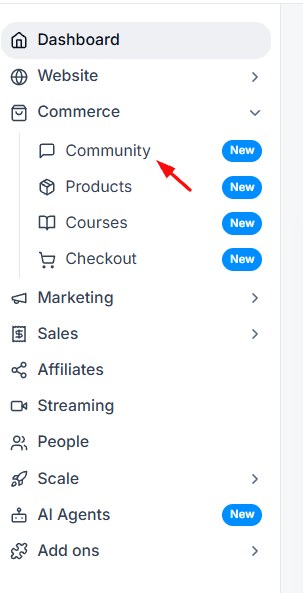
1. Click on the Commerce tab and then Community on the left side bar.
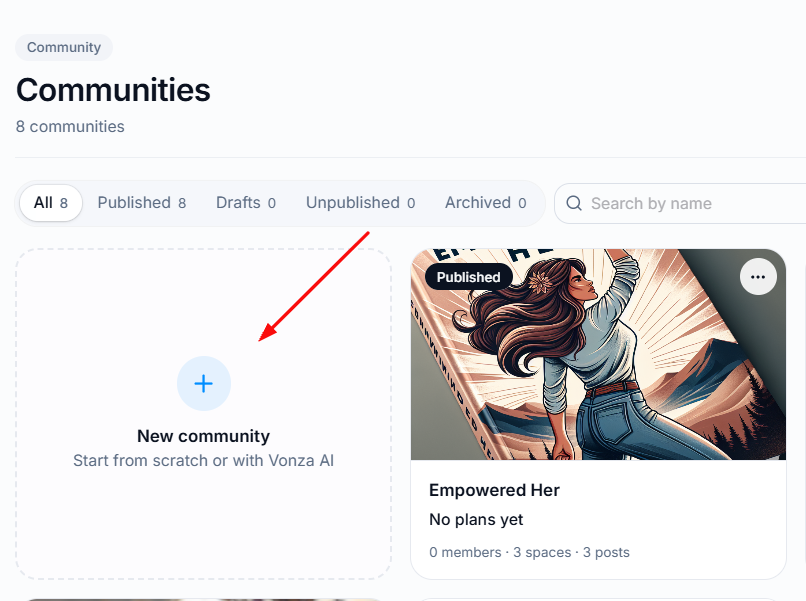
2. Click on the New Community
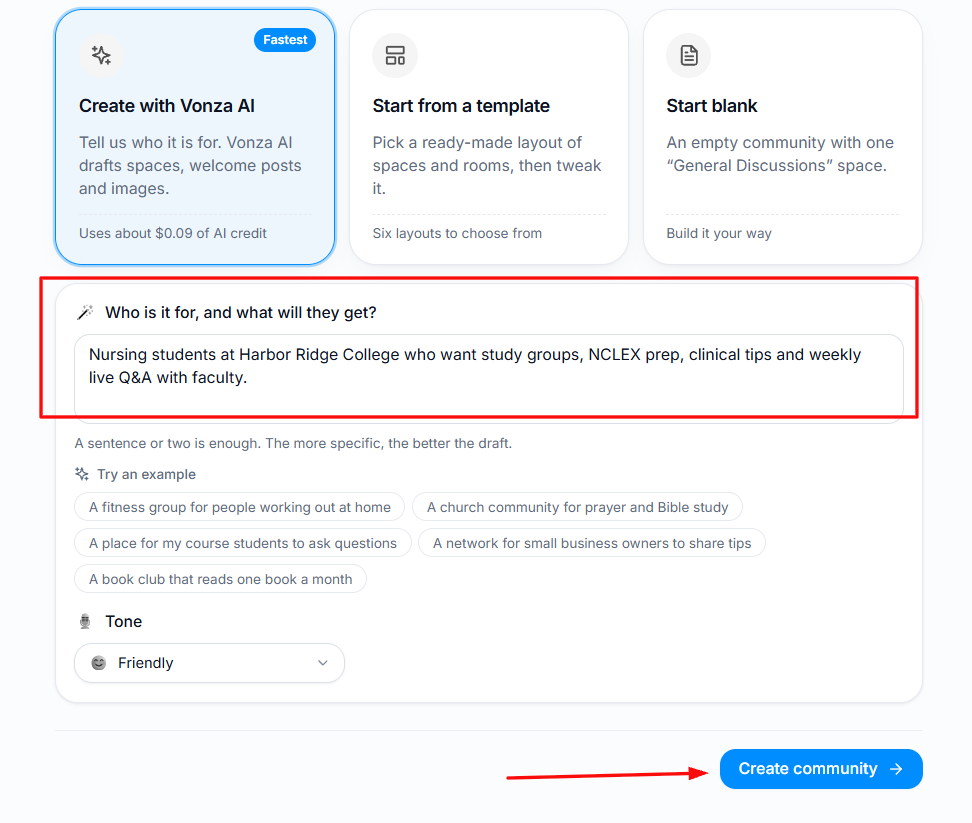
3. Enter the Community Name and then click on the Create with Vonza AI box.
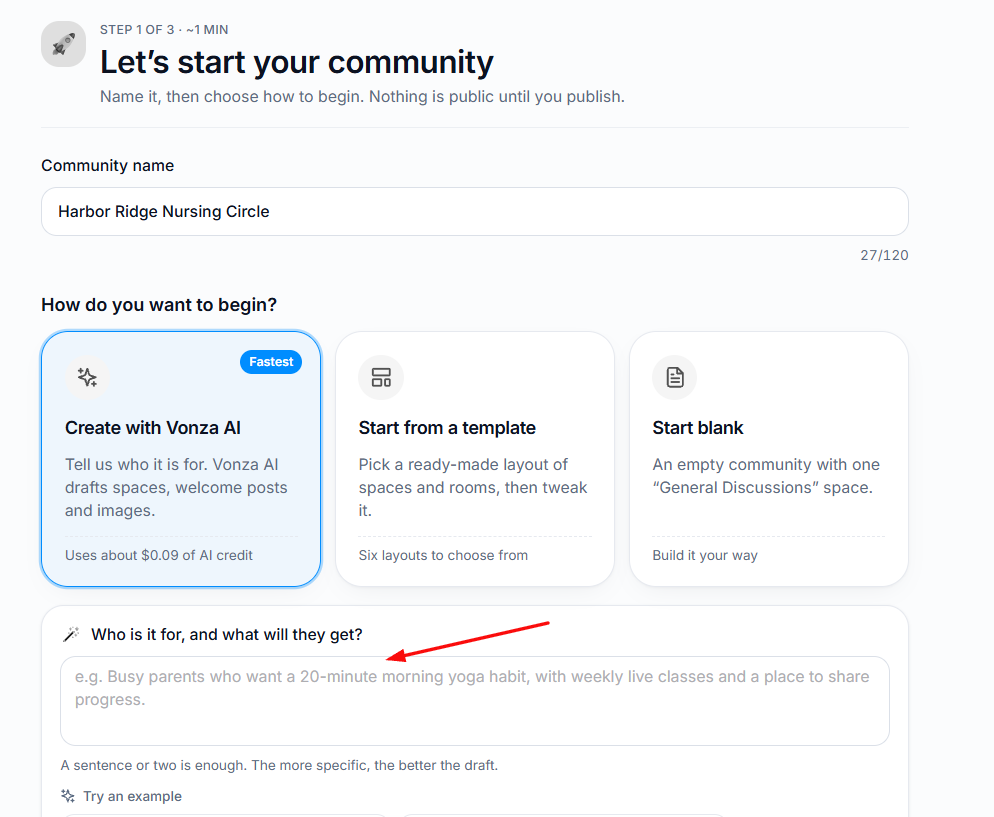
4. Enter what the community is about and what members will benefit in the prompt box. When done, click the Create community button.
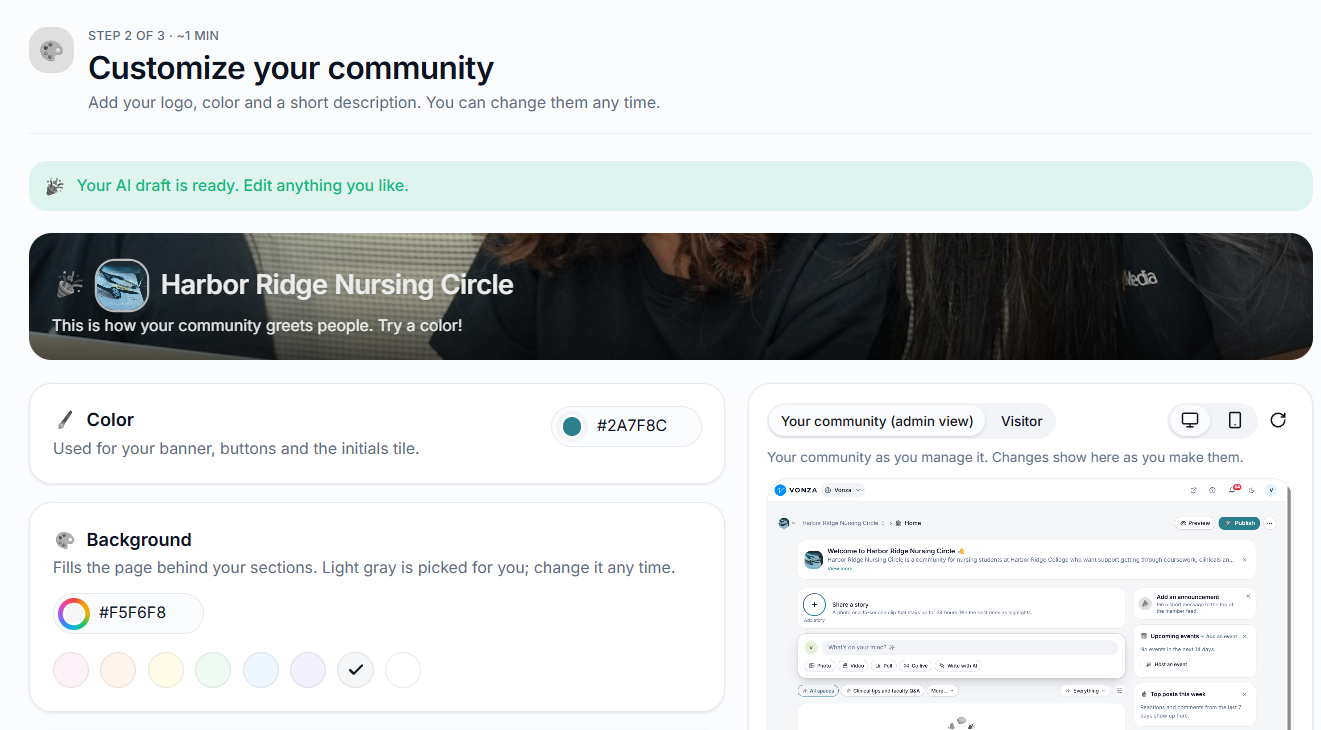
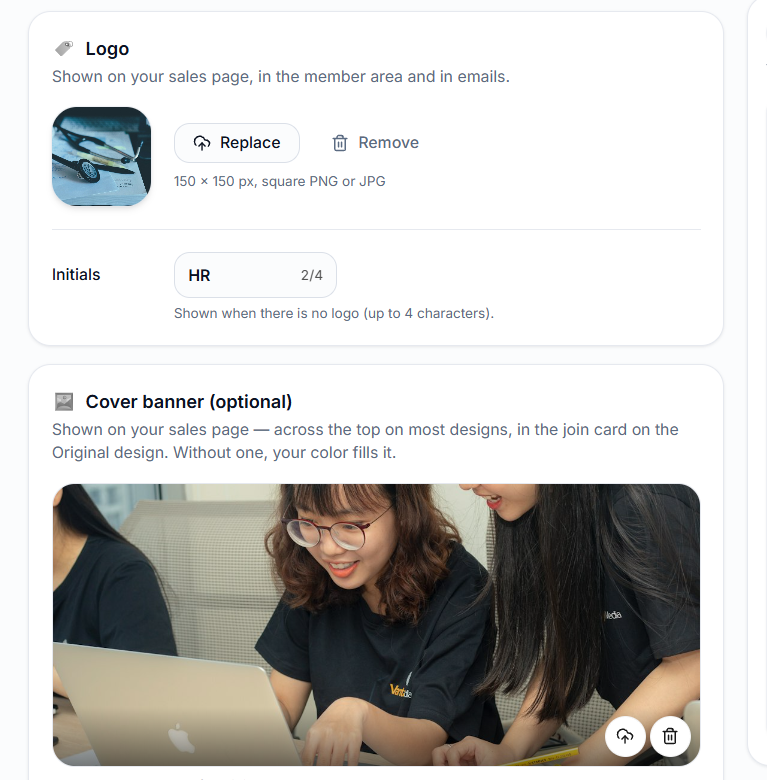
5. Customize your community the way you want. Although Vonza AI would have given appropriate colors, images, logo and description.
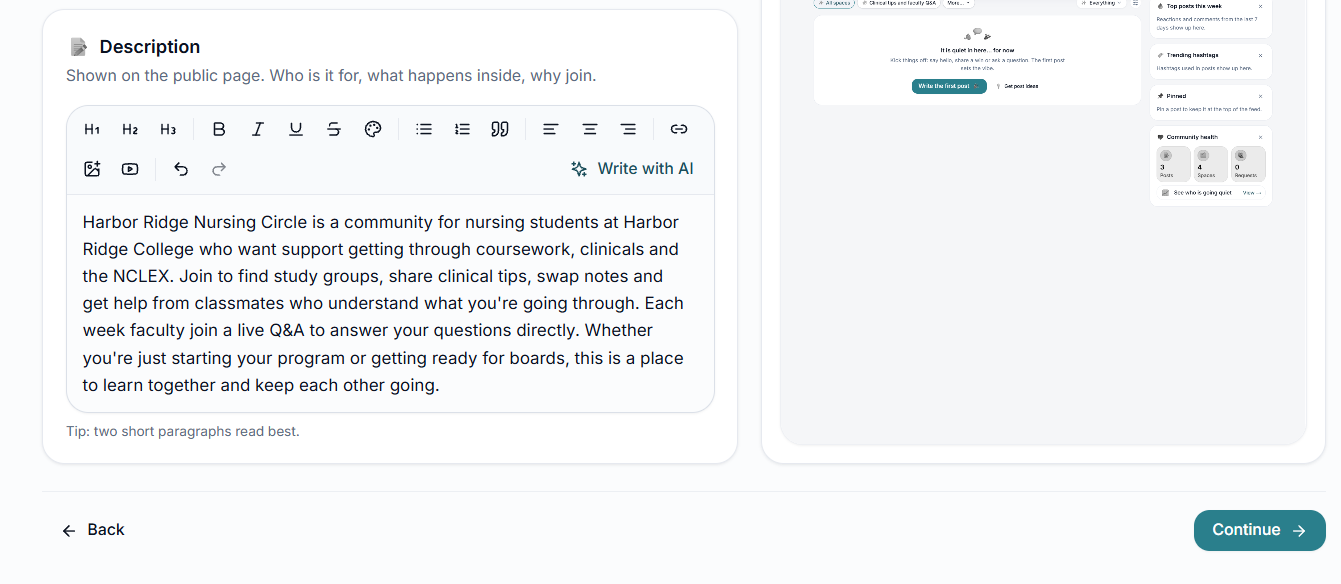
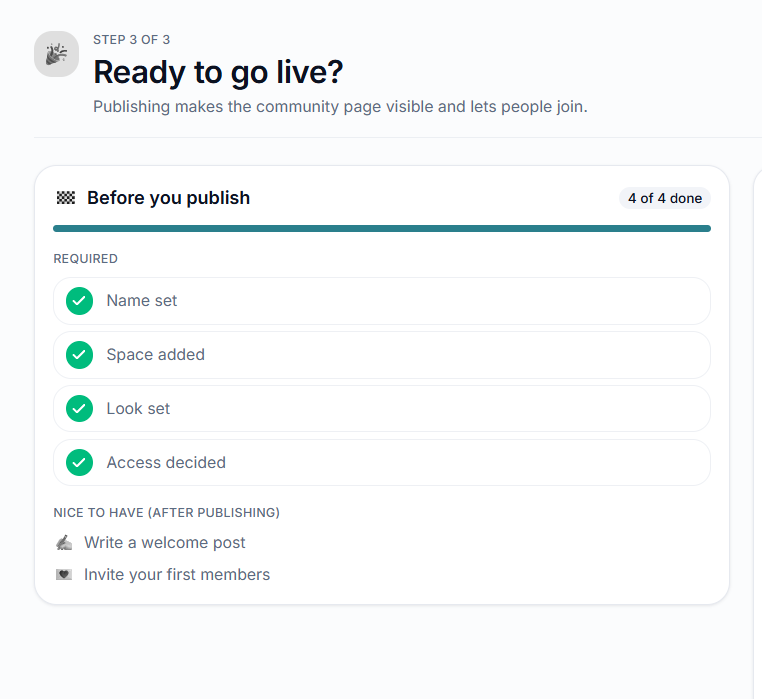
6. Click Continue to go to the next step where you go through the checklist of going live and then publish your community.
7. Click on the Copy button to copy the community link. You can also write a post, open community or view page.
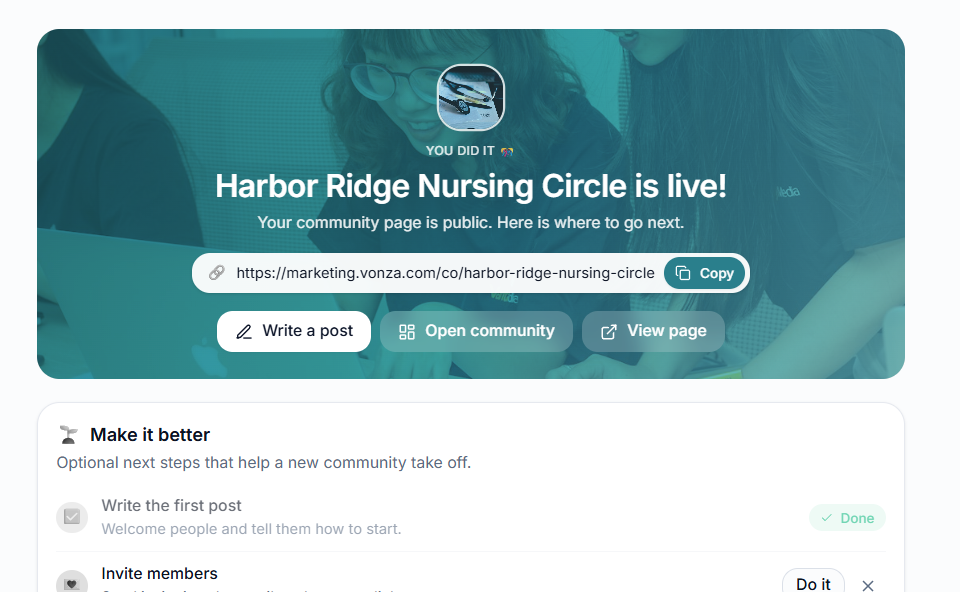
8. Vonza AI would have written the first post in your community.