How to Create a Community from a Template
Print
Modified on: Wed, 25 Nov, 2026 at 3:21 PM
You can create a community from a template on Vonza
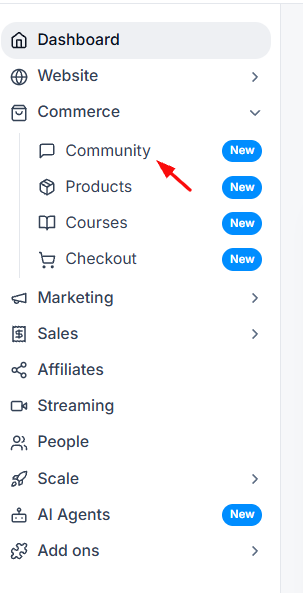
1. Click on the Commerce tab and then Community on the left side bar.
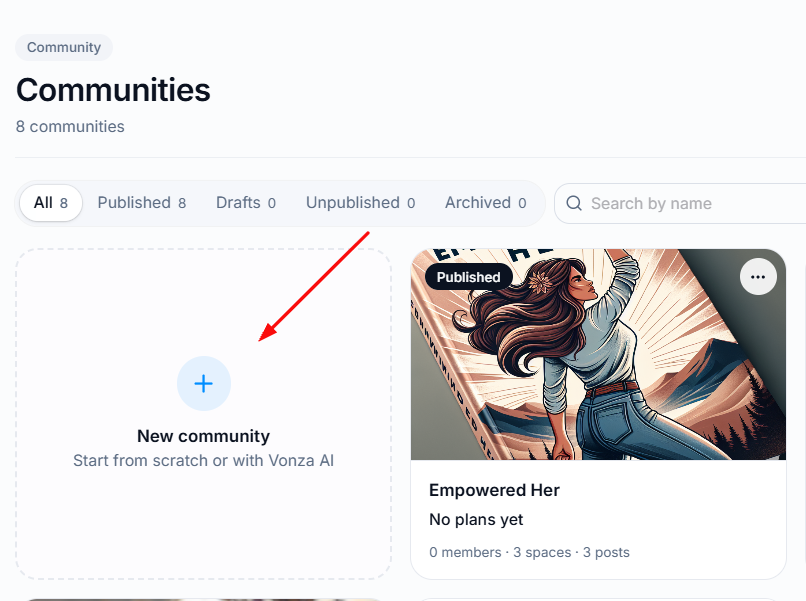
2. Click on the New Community
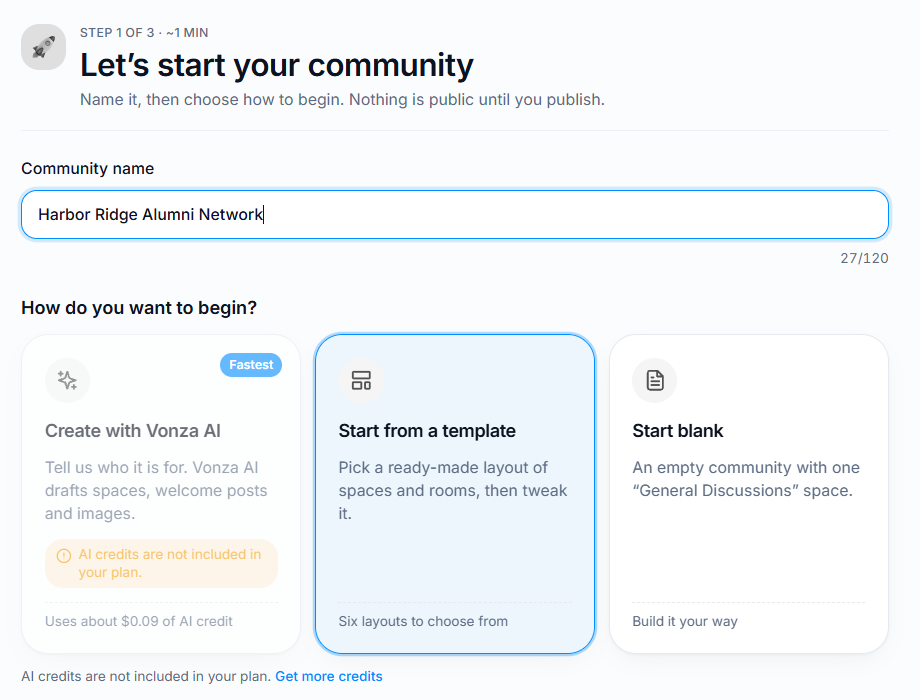
3. Enter the Community Name and then click on the Start from a template box.
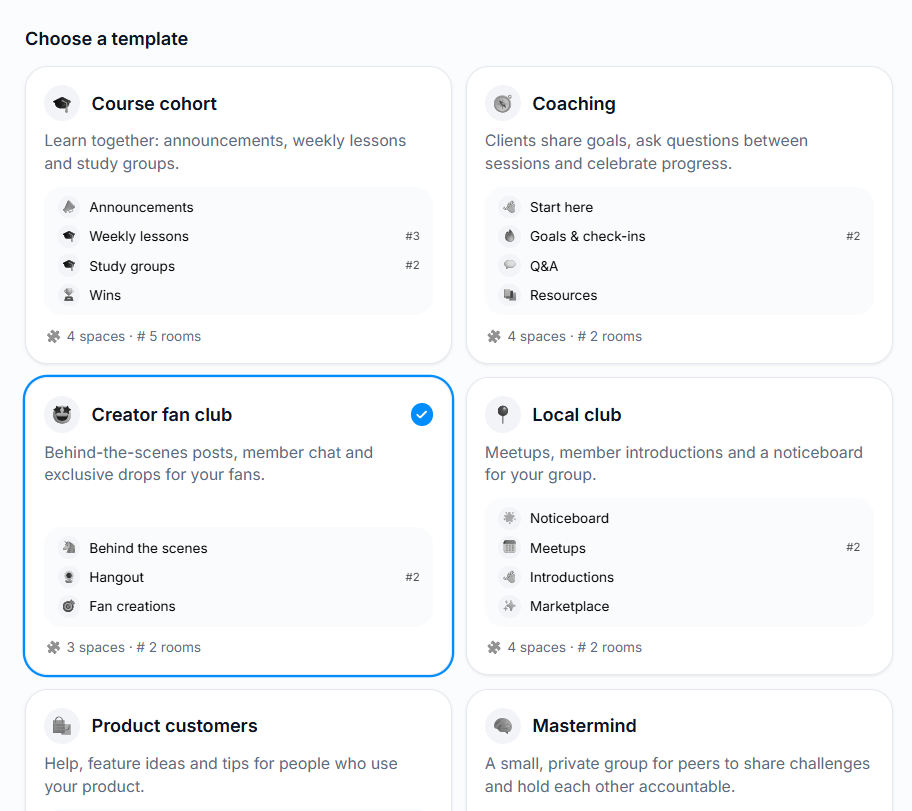
4. Select from the list of templates provided.
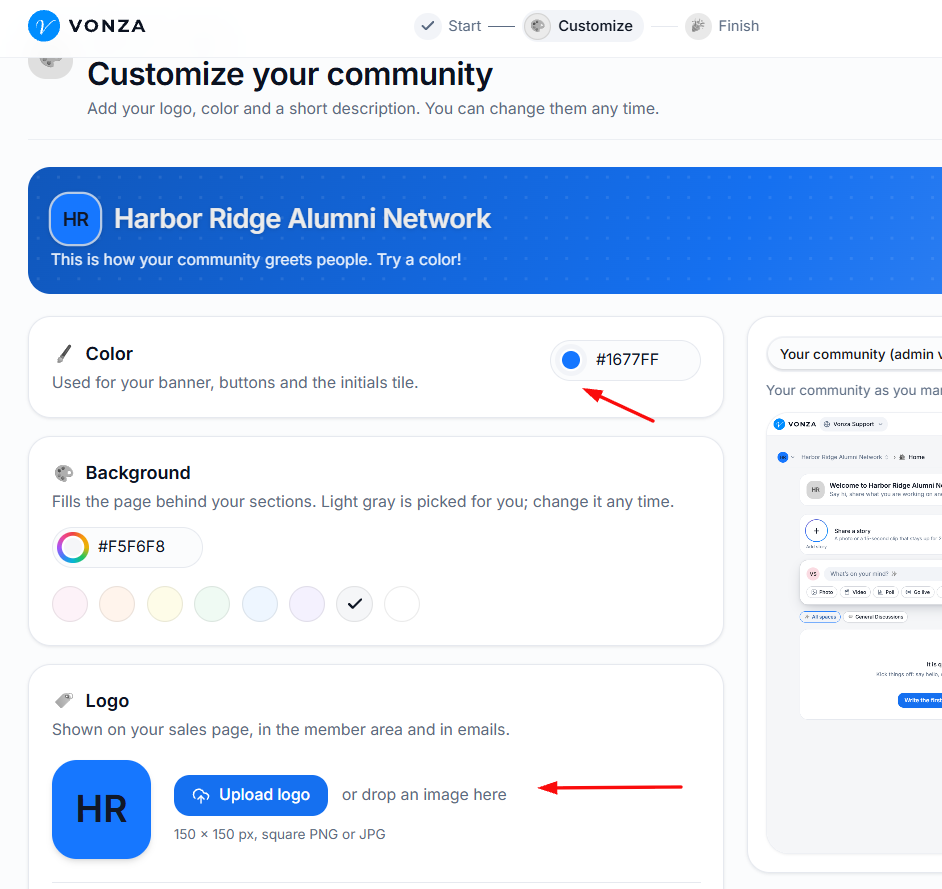
5. Customize your community by changing your banner or button color and you can also upload your logo as shown below.
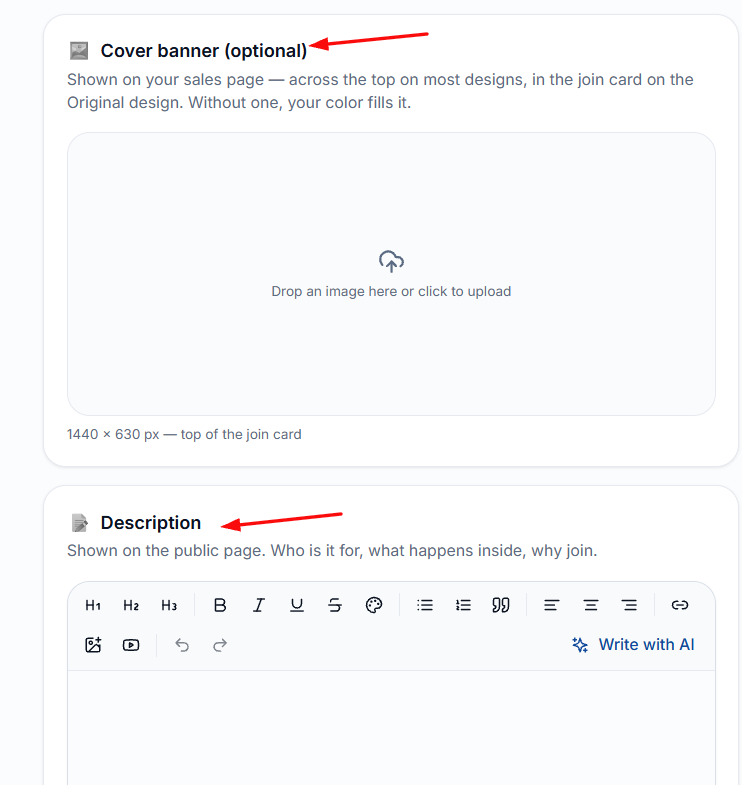
6. Upload a cover banner and enter your description.
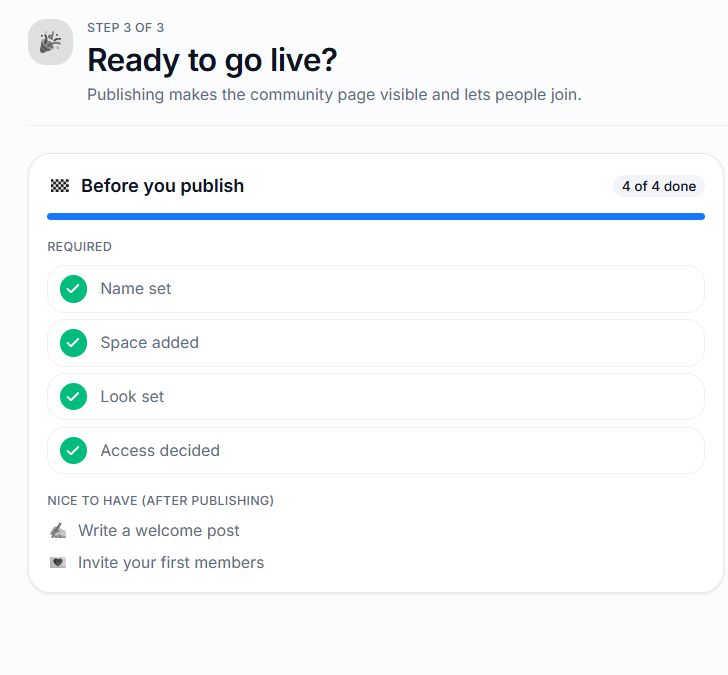
7. Click Continue to go to the next step where you go through the checklist of going live.
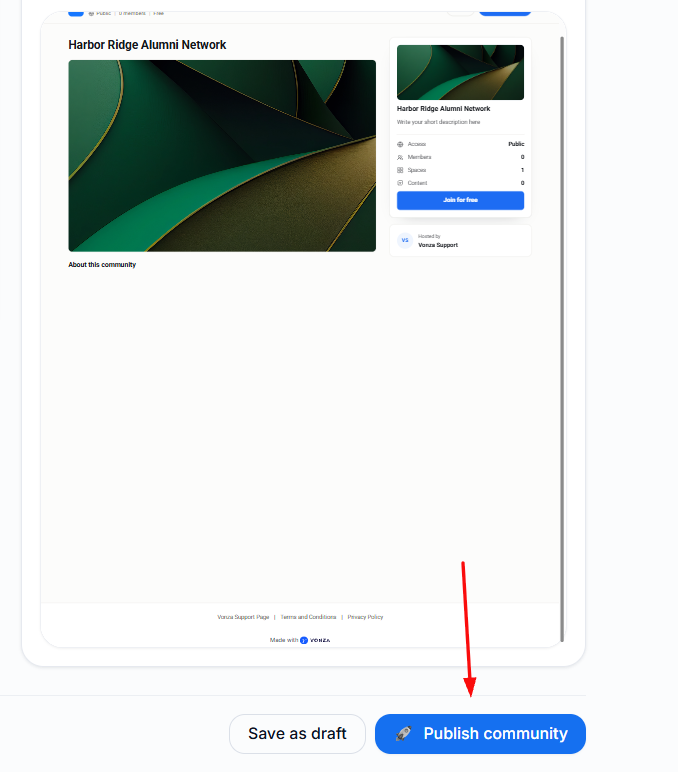
8. Click the Publish community button.
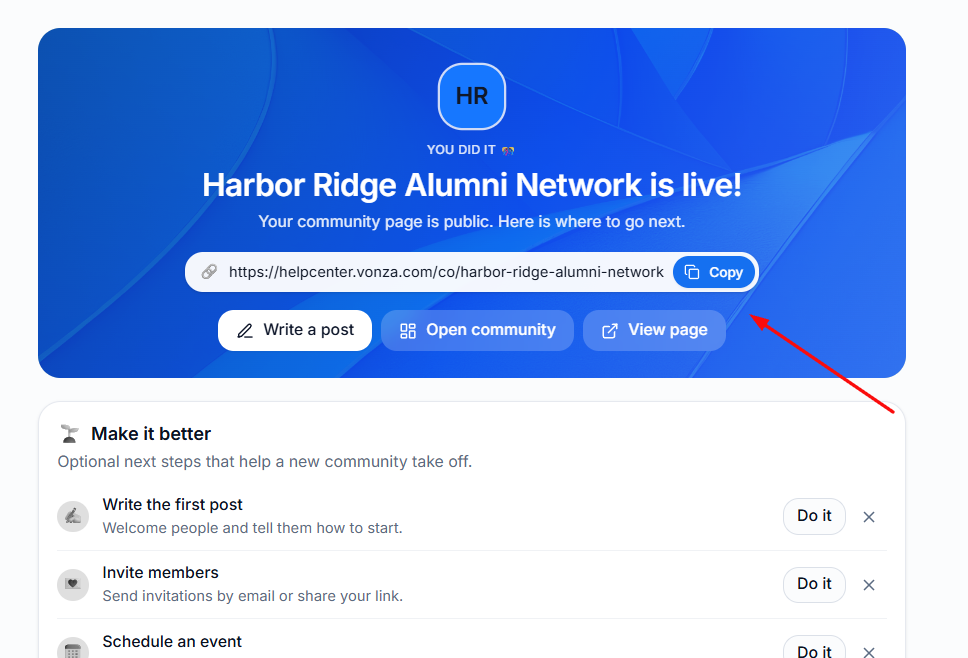
9. Click on the Copy button to copy the community link. You can also write a post, open community or view page.
Did you find it helpful?
Yes
No
Send feedback Sorry we couldn't be helpful. Help us improve this article with your feedback.