How to Add Live Chat to Your AI Website
Print
Modified on: Tue, 27 Oct, 2026 at 9:30 AM
Add Live Chat to your Website in the following steps:
1. Click on the Website tab to the left and then click AI Builder.
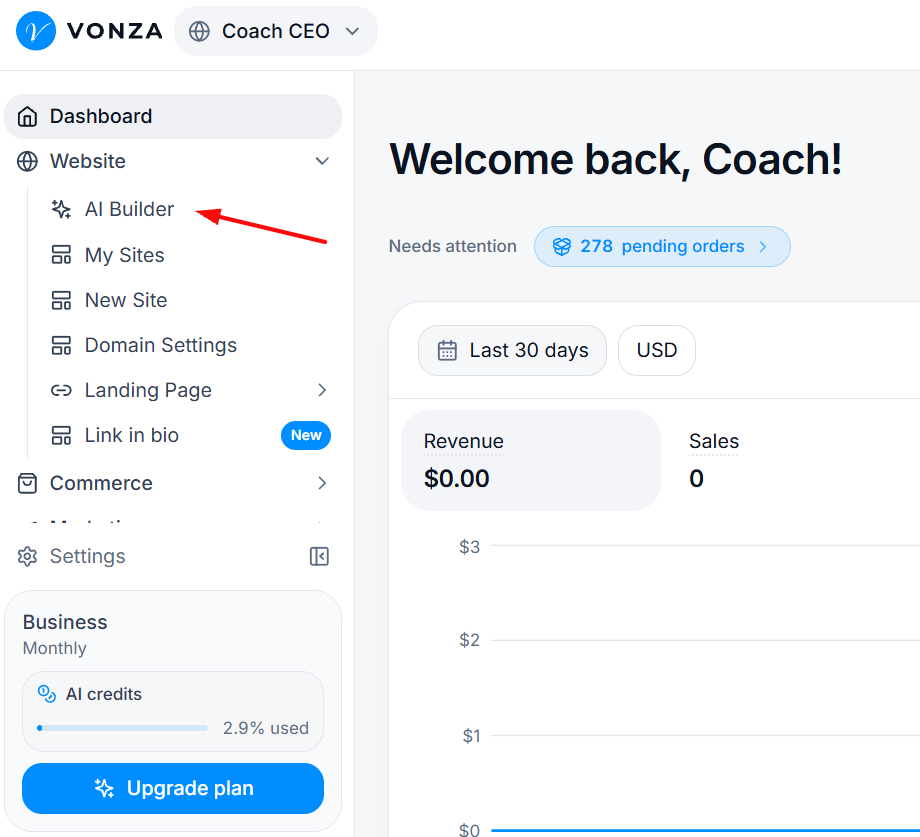
2. Click My Websites to the left and click on the website you want to add the live chat to.
3. Click on Site Settings
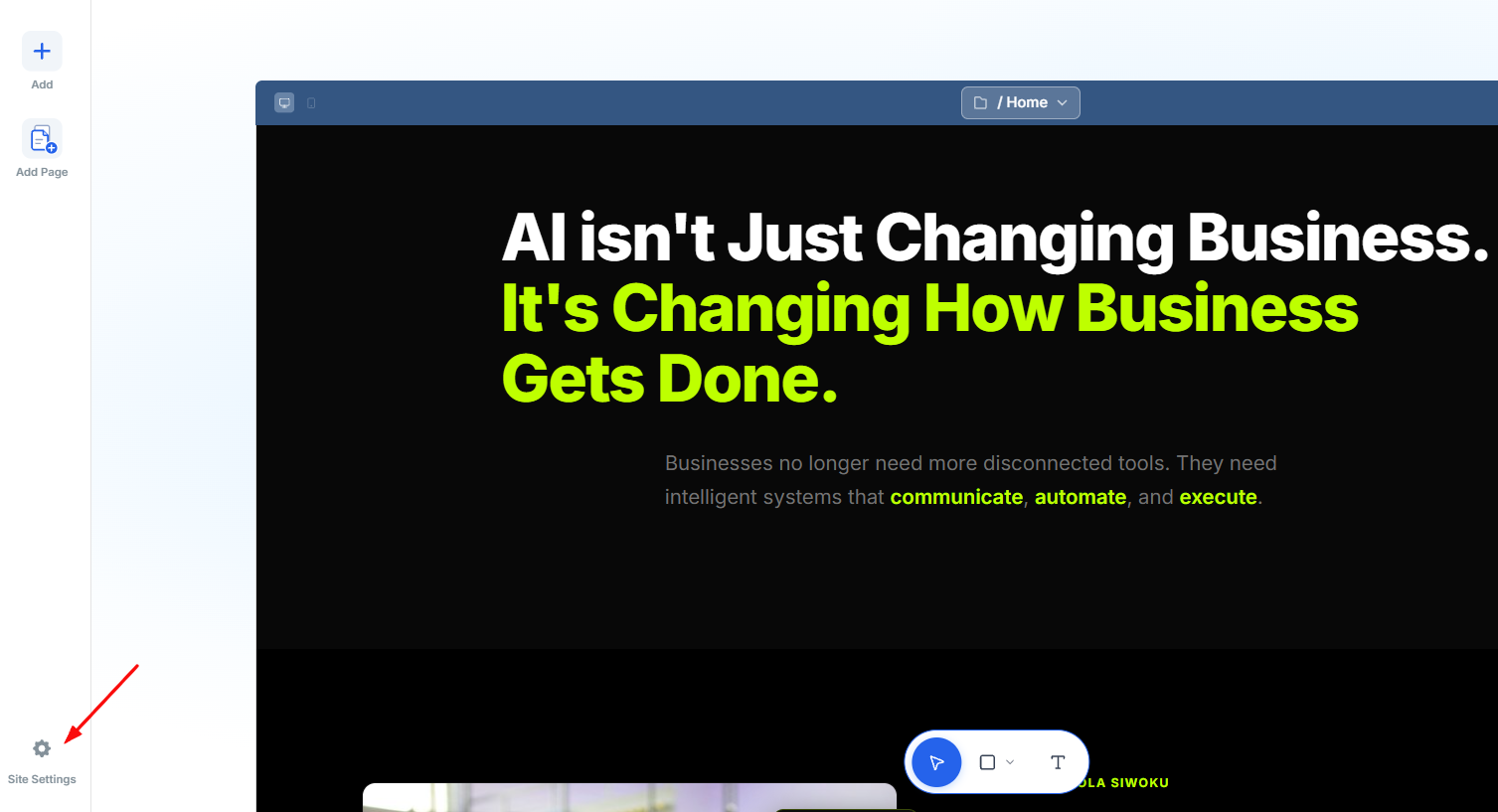
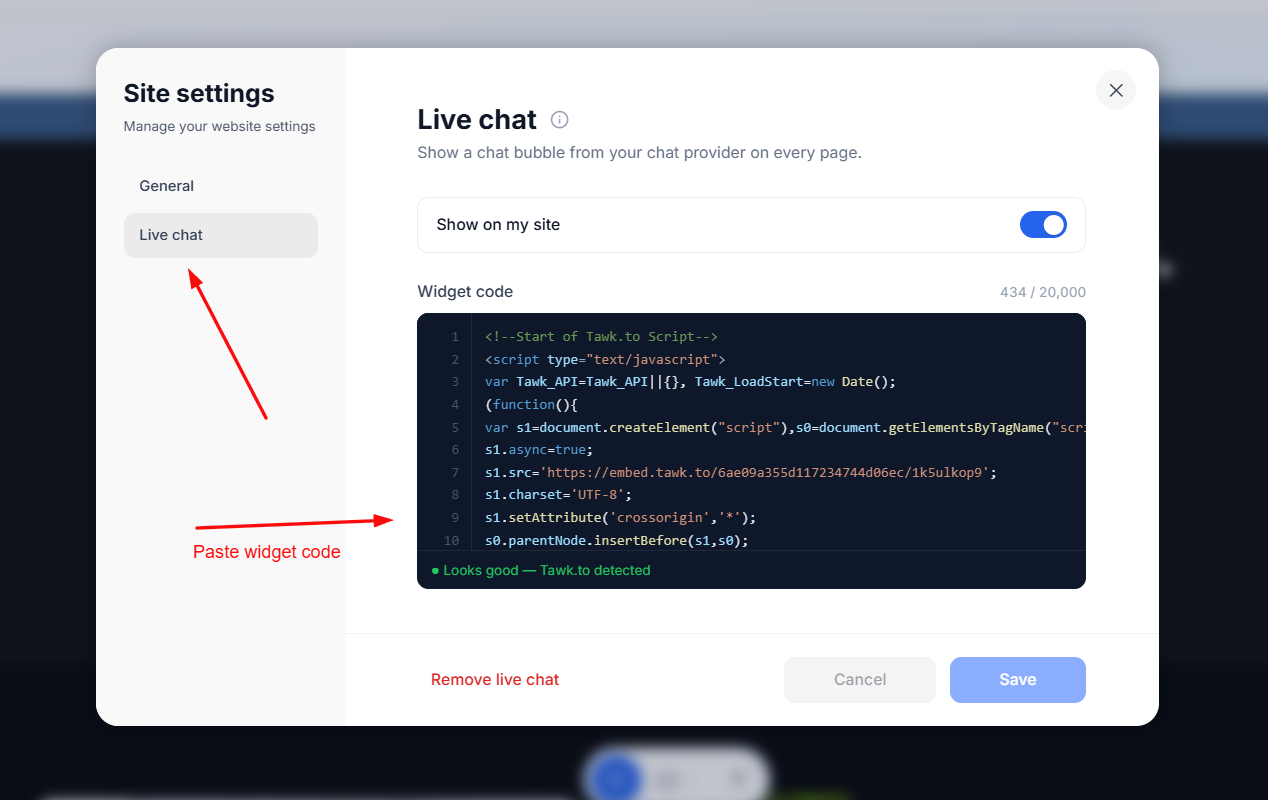
4. Click on Live chat to the left and then paste your widget code in the space below. Save this.
Examples of customer service software you can utilize in getting your live chat codes or customization from are Tawk.to, Zendesk, Freshdesk, Tidio etc.
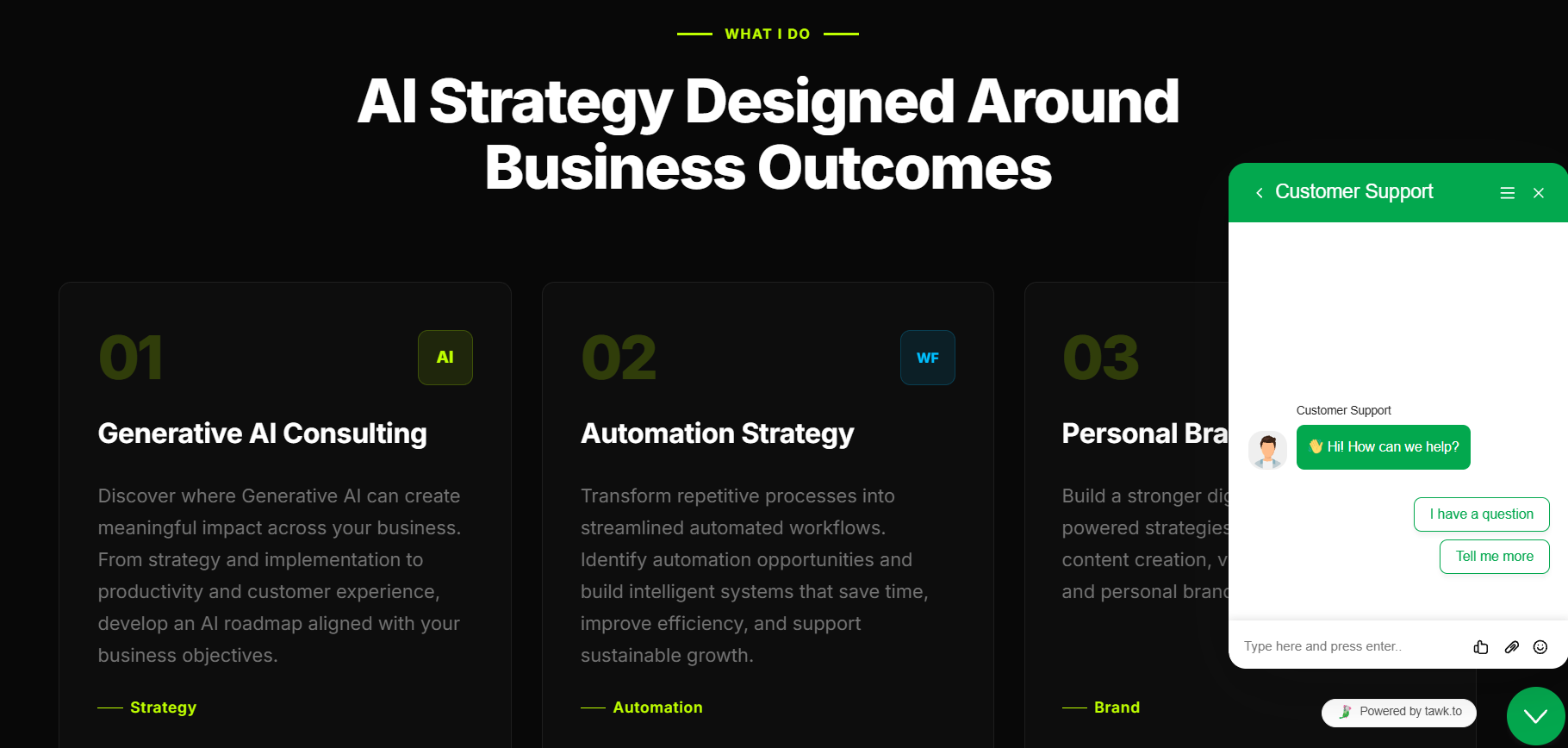
5. Check your website and your live chat widget should be visible.
Did you find it helpful?
Yes
No
Send feedback Sorry we couldn't be helpful. Help us improve this article with your feedback.