How to Configure Affiliate Payouts Settings
Print
Modified on: Fri, 20 Mar, 2026 at 1:01 PM
Configuring Affiliates Payout Settings as an Admin
1. From your dashboard, click on Settings on the bottom left and then click on Affiliates.
2. Click on the Payouts on the left.
3. The Edit button allows you to set the Minimum Payout Threshold and also the Payment Processing Mode.
4. Watch the video below for more information.
Configuring Affiliates Payout Settings as a Customer
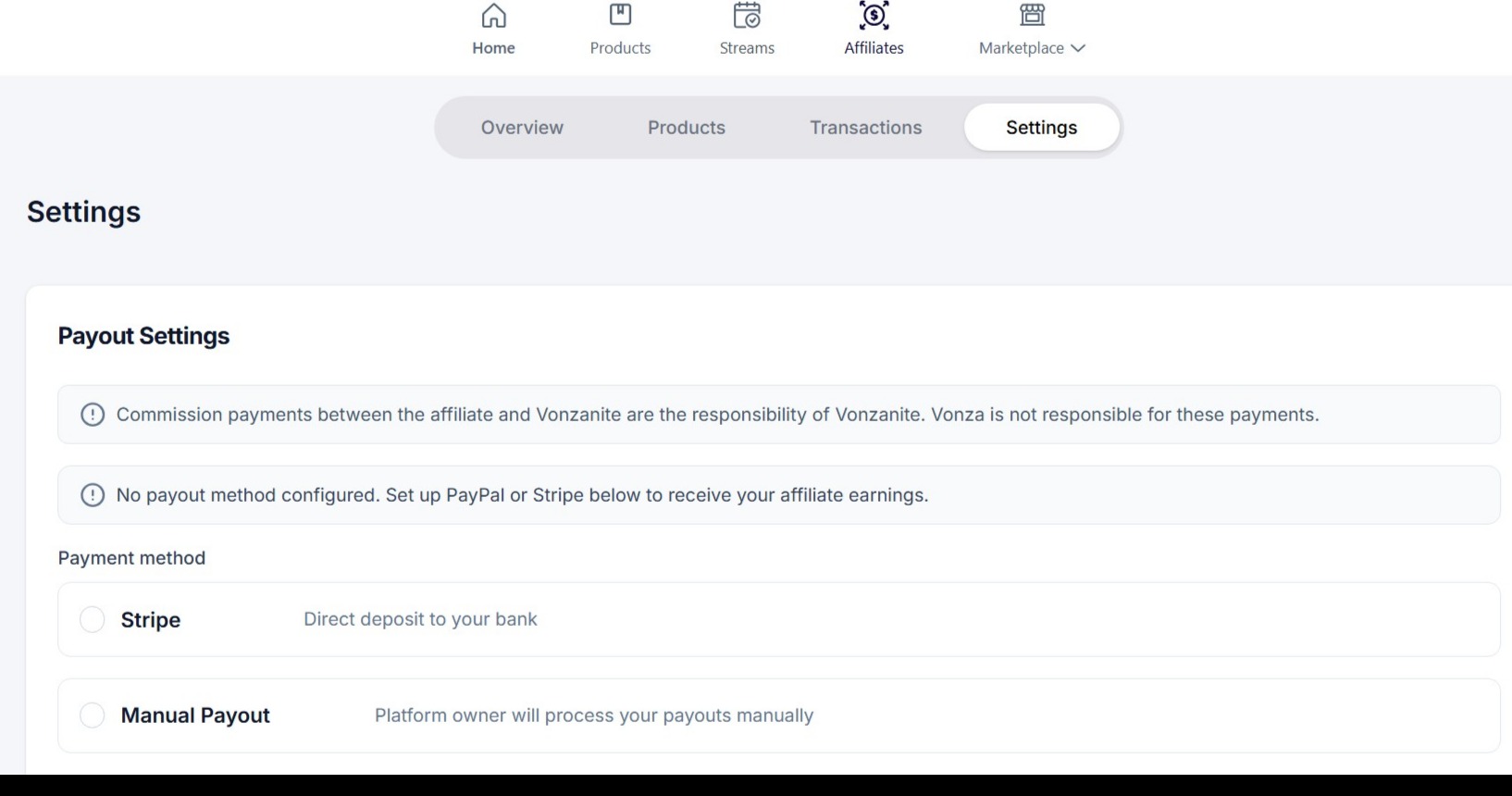
1. Login to your dashboard as a customer, click on Affiliates tab at the top.
2. Click on Settings
3. Select your Payment Method: Stripe or Manual Payout
Did you find it helpful?
Yes
No
Send feedback Sorry we couldn't be helpful. Help us improve this article with your feedback.