How to Enable/Disable Payment Gateway Options at Checkout
Print
Modified on: Wed, 4 Nov, 2026 at 3:29 AM
You can now enable/disable your payment gateway options that your customers can use at checkout
PayPal/ Klarna/ Afterpay/ Google Pay/ Apple Pay
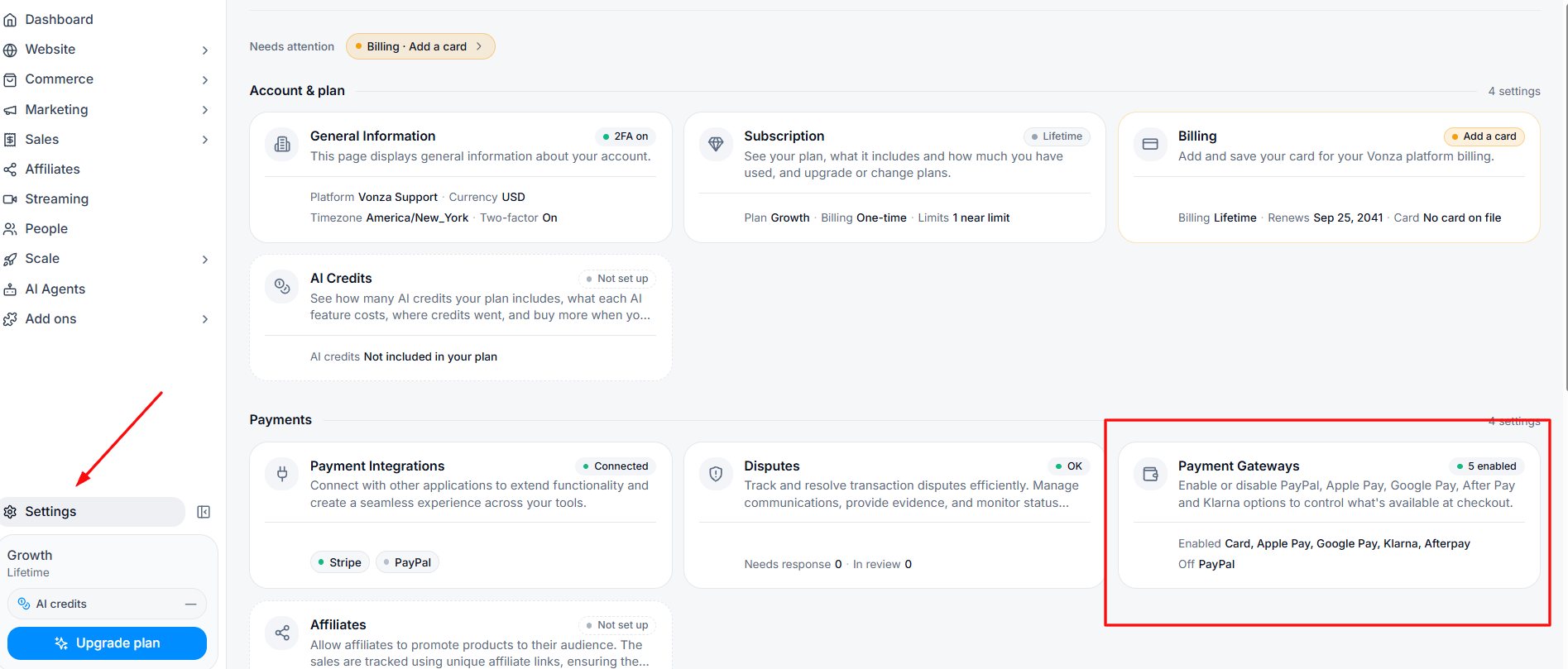
1. Click on the Settings on the bottom left side bar and then click on Payment Gateways Card
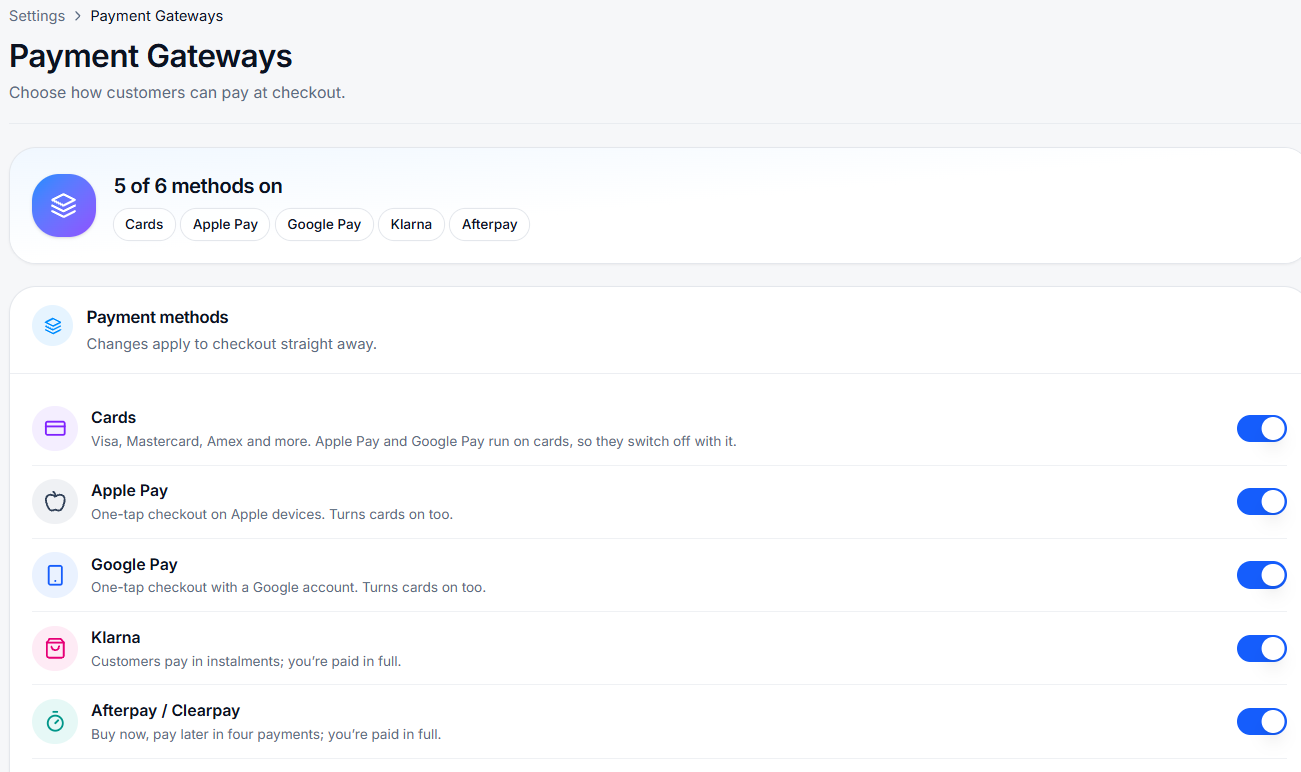
2. Toggle on or off the Payment method you want to show during your checkout.
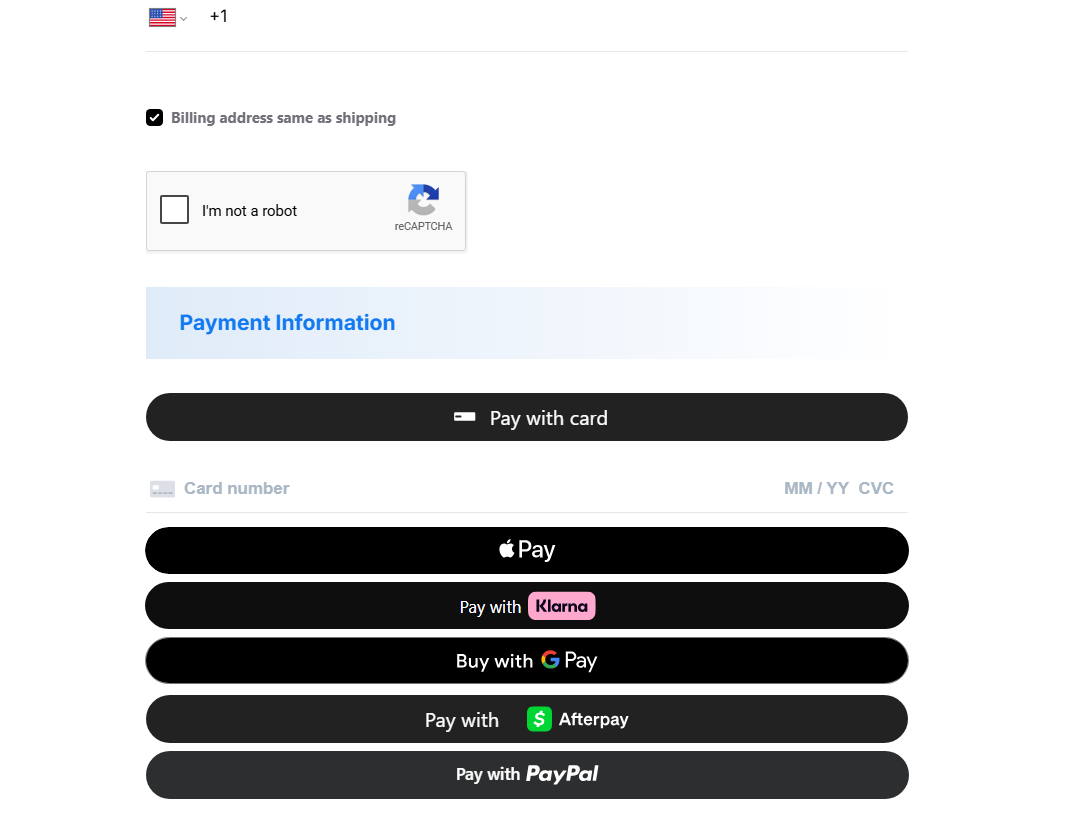
3. During checkout, the options you selected will be visible.
Did you find it helpful?
Yes
No
Send feedback Sorry we couldn't be helpful. Help us improve this article with your feedback.