
You can choose the currency for your Vonza Platform in the easy steps below:
1. Click on Settings on the bottom left corner of your dashboard
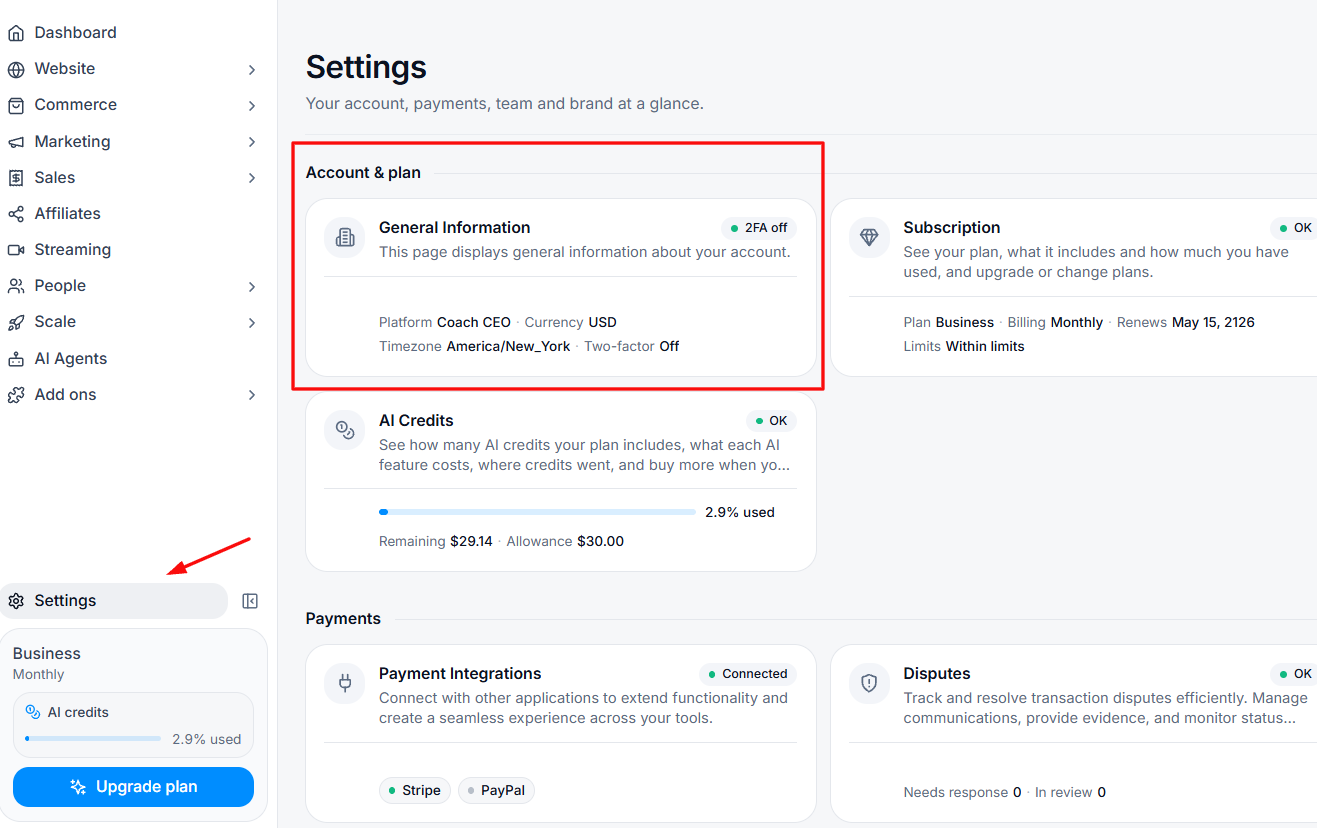
2. Select the Accounts and Plan card to get into your General information.
3. Select the currency you want for your platform from the drop down menu.
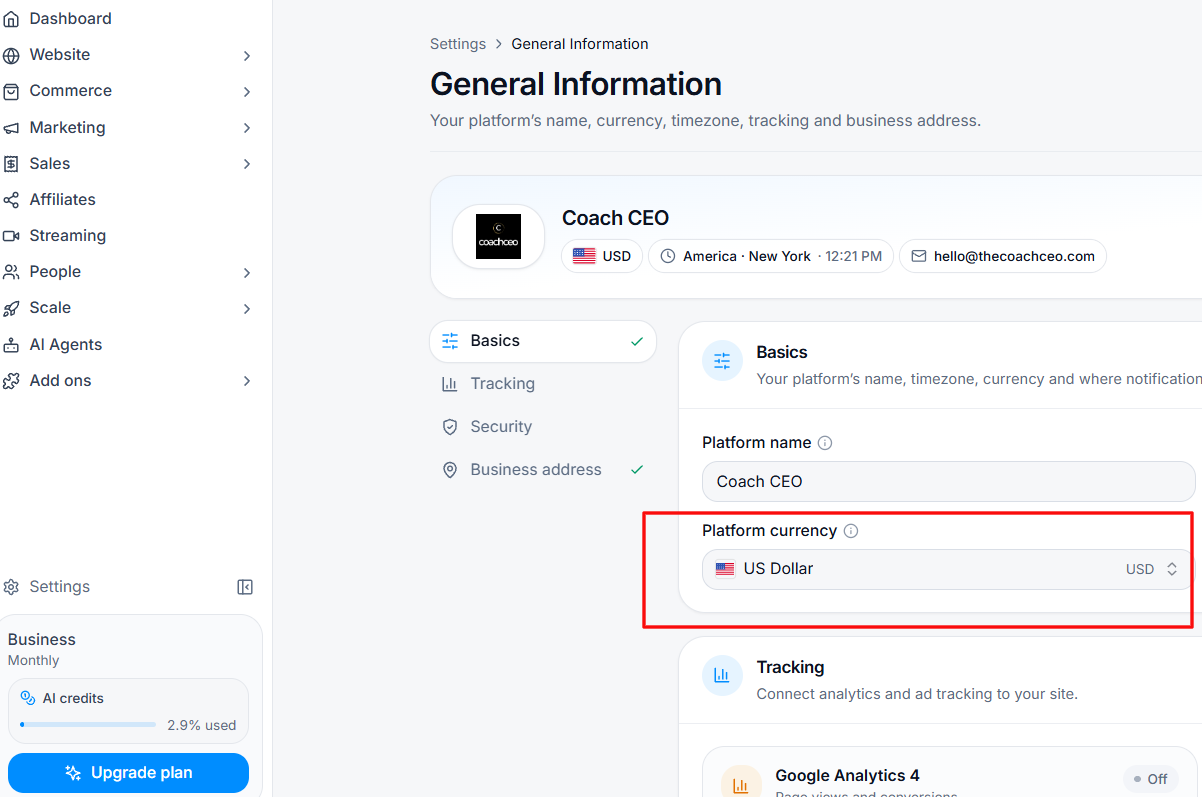
NOTE: Any Vonzanite changing to a new currency may delete the old pricing plans for their products and create new ones in the new currency. This will ensure that going forward, their customers purchase in the new currency.