
You can now cancel or stop payments for any of your products with a recurring payment from memberships to courses or degrees.
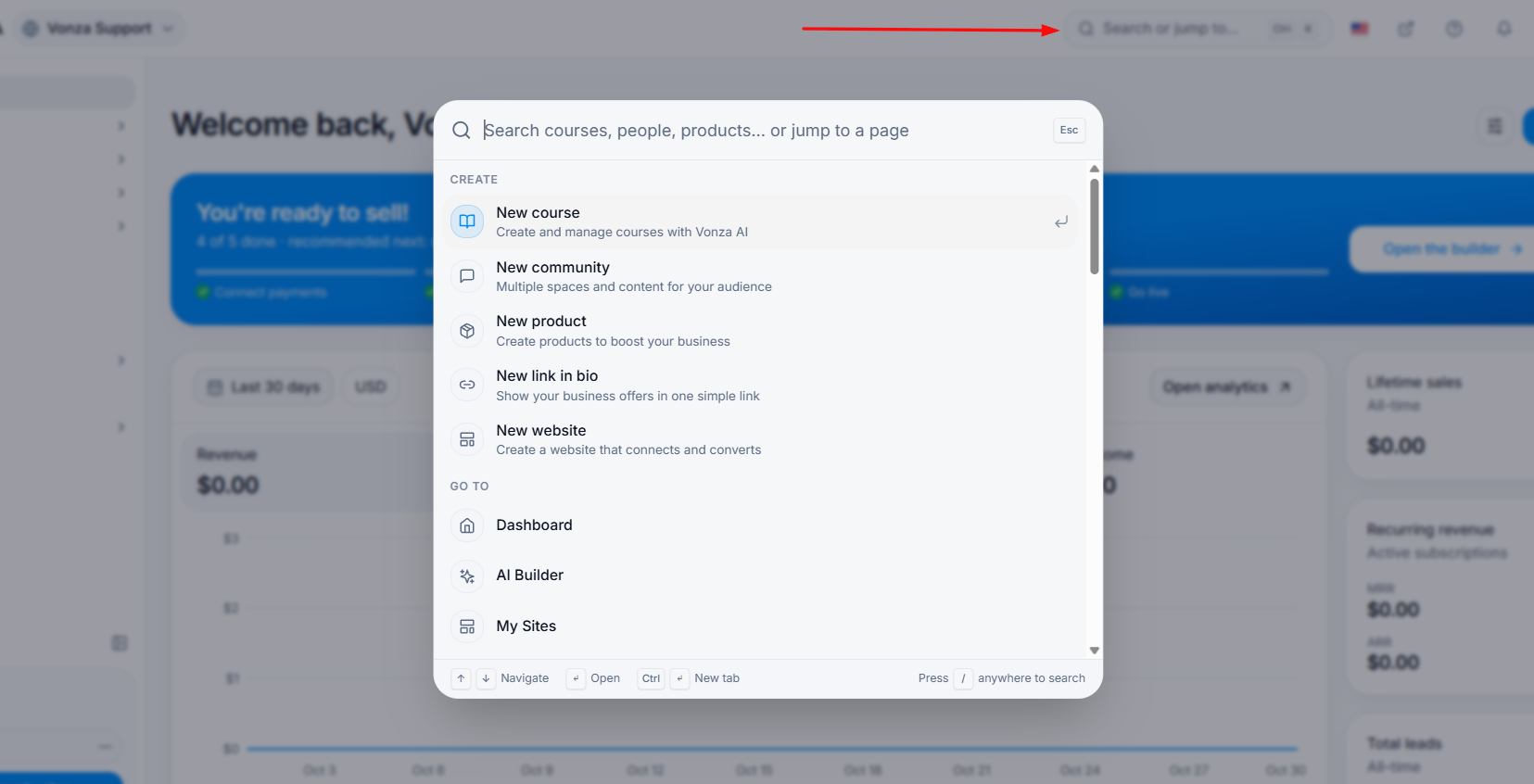
1. From your dashboard, search for your customer name to view the product you want to pause for him/her.
2. Click the three dots by the form, course, degree or product the customer has purchased.
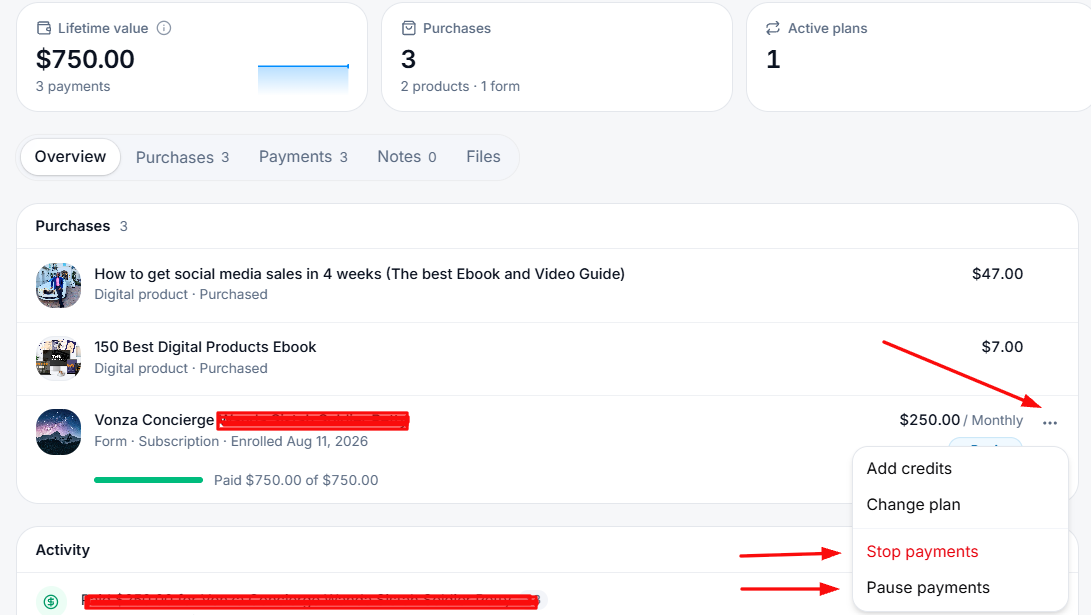
3. You can choose to stop or pause payments.
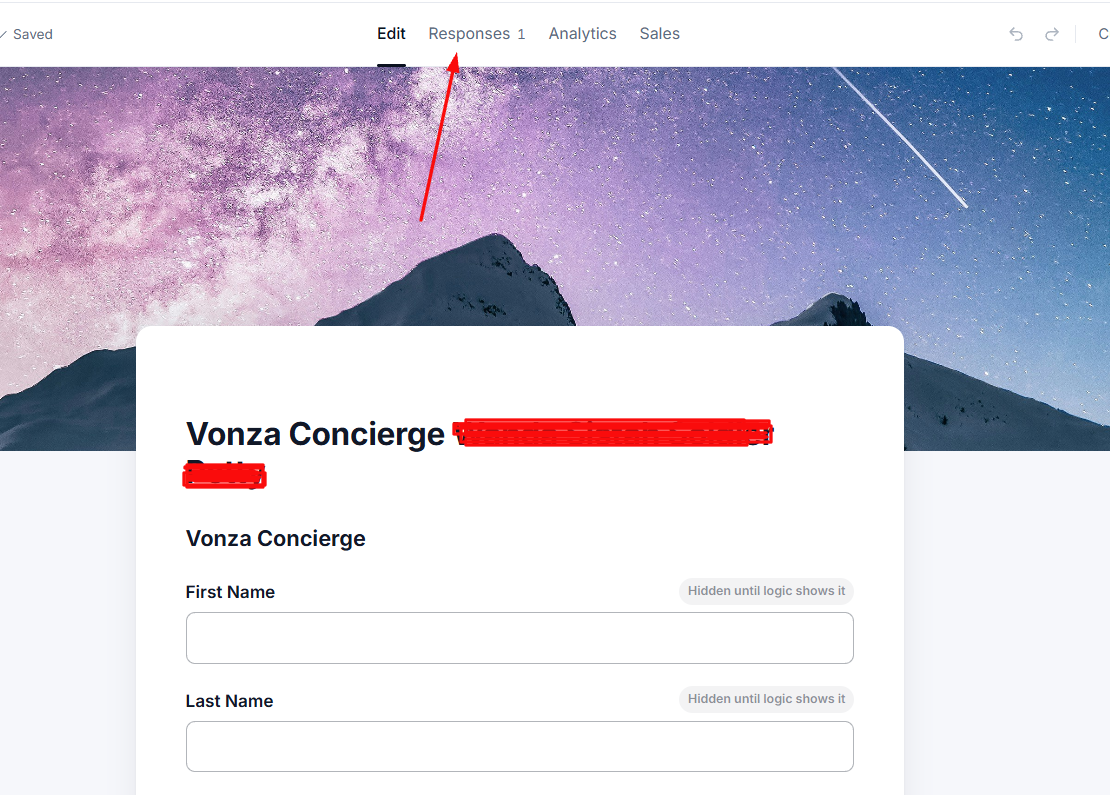
4. Alternatively, you can also go in to the direct form itself for the contact.
5. Click on the Responses tab and then click on the contact's name.
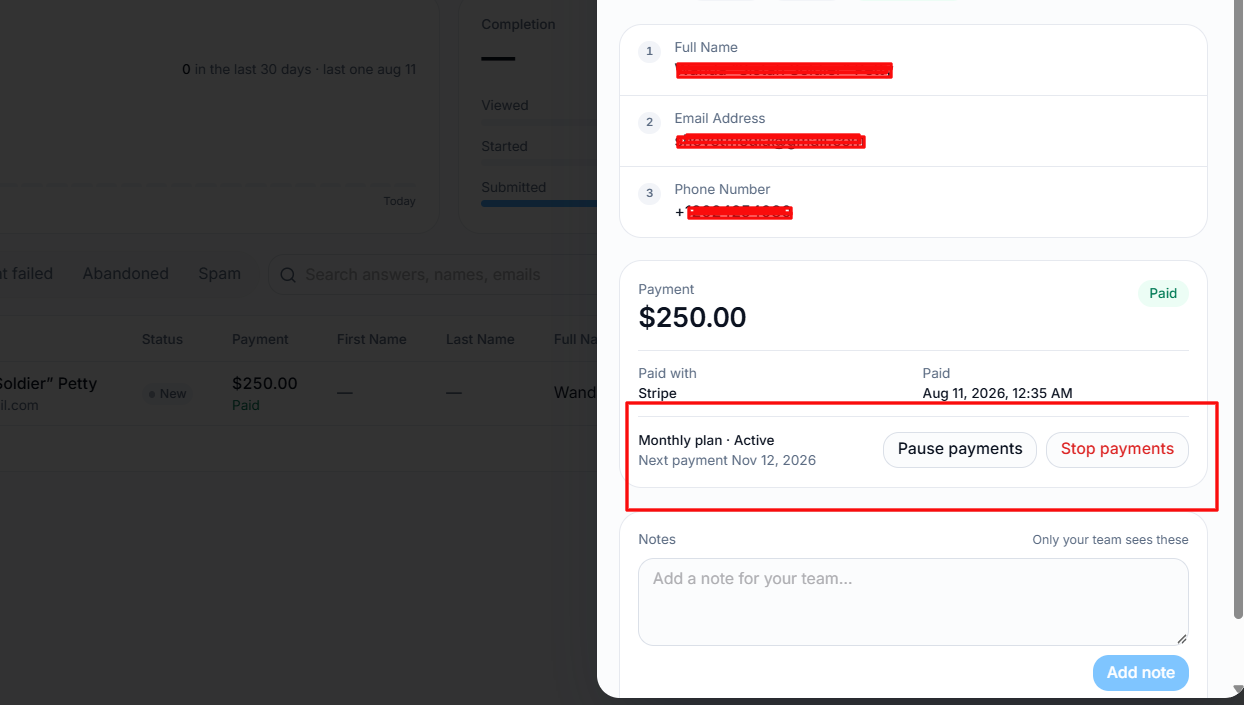
6. You can then click on the pause payments or stop payment button.