You can change your Vonza subdomain URL in the easy steps below:
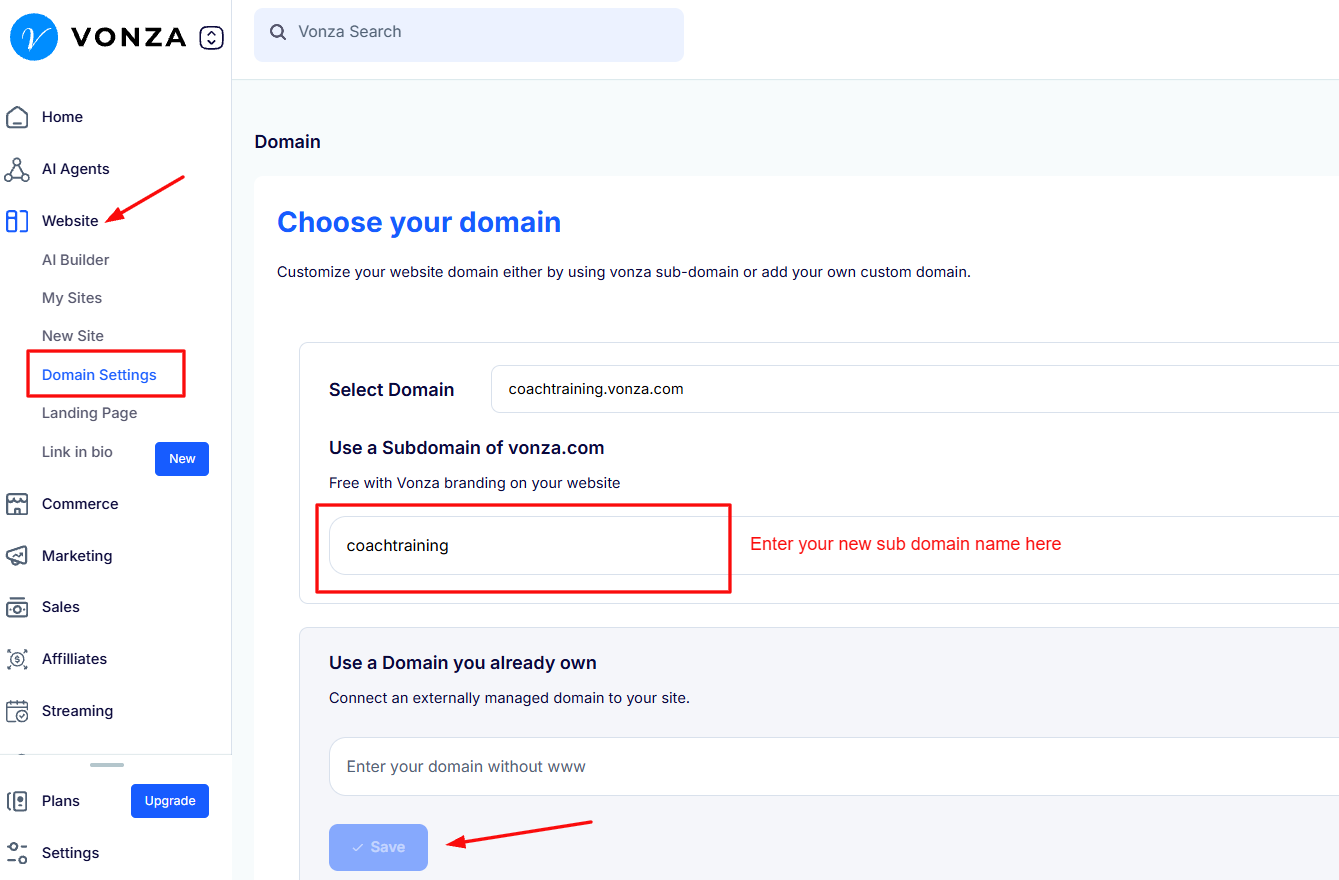
1. Click on Website on the left corner of your dashboard
2. Select Domain Settings and then enter your new sub domain name and save.

Modified on: Thu, 29 Oct, 2026 at 3:42 PM
You can change your Vonza subdomain URL in the easy steps below:
1. Click on Website on the left corner of your dashboard
2. Select Domain Settings and then enter your new sub domain name and save.
Did you find it helpful? Yes No
Send feedback