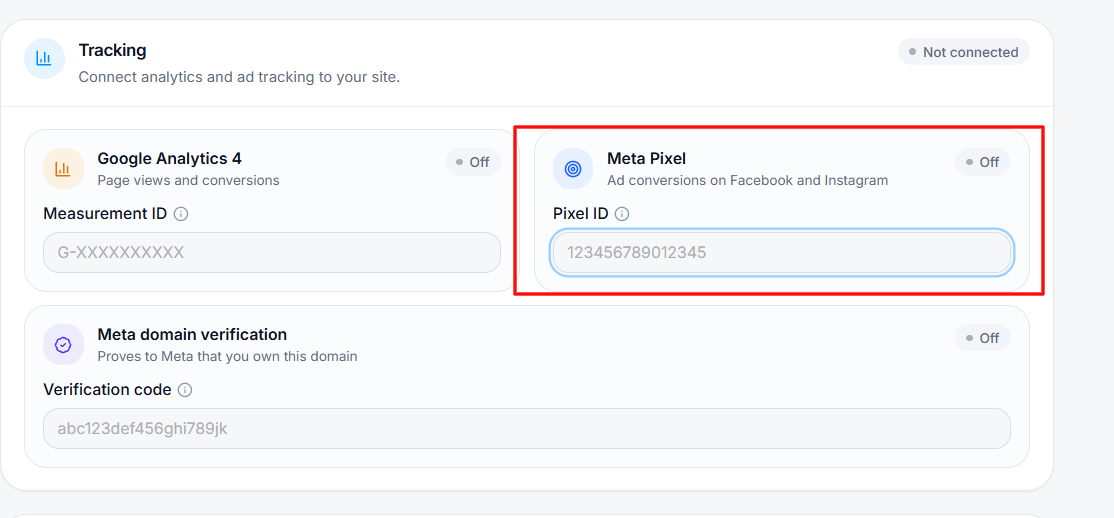
You can add Facebook Pixel to your Vonza site in the easy steps below:
1. Click on Settings on the bottom left corner of your dashboard
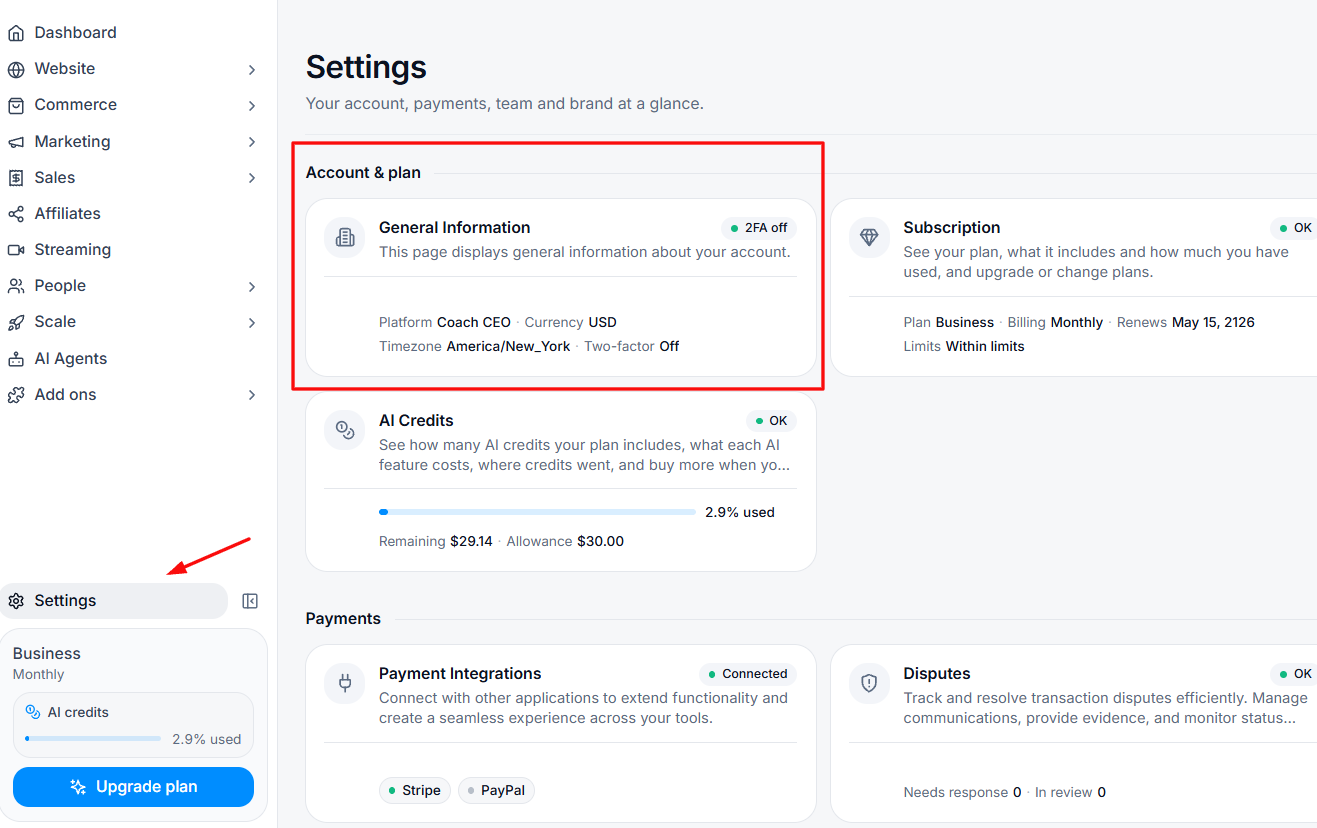
2. Select the Accounts and Plan card to get into your general information.
3. Scroll down to Tracking and enter your Facebook Pixel ID which you must have copied from your Facebook account.