
Connecting Your Custom Domain on Your Vonza Platform (Available on Pro Plan, Business Plan or School Plan)
You can do this in the following steps:
From Your Vonza Dashboard
1. Open up your DNS Settings of where your domain is hosted e.g. GoDaddy or Bluehost.
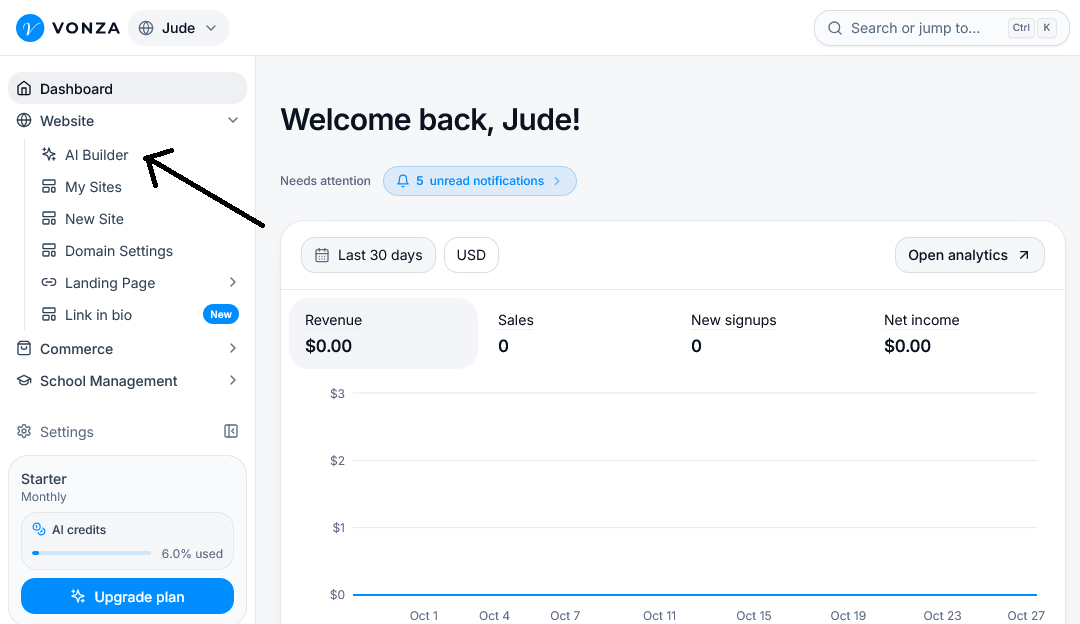
2. On your Vonza dashboard, click Website > AI Builder.
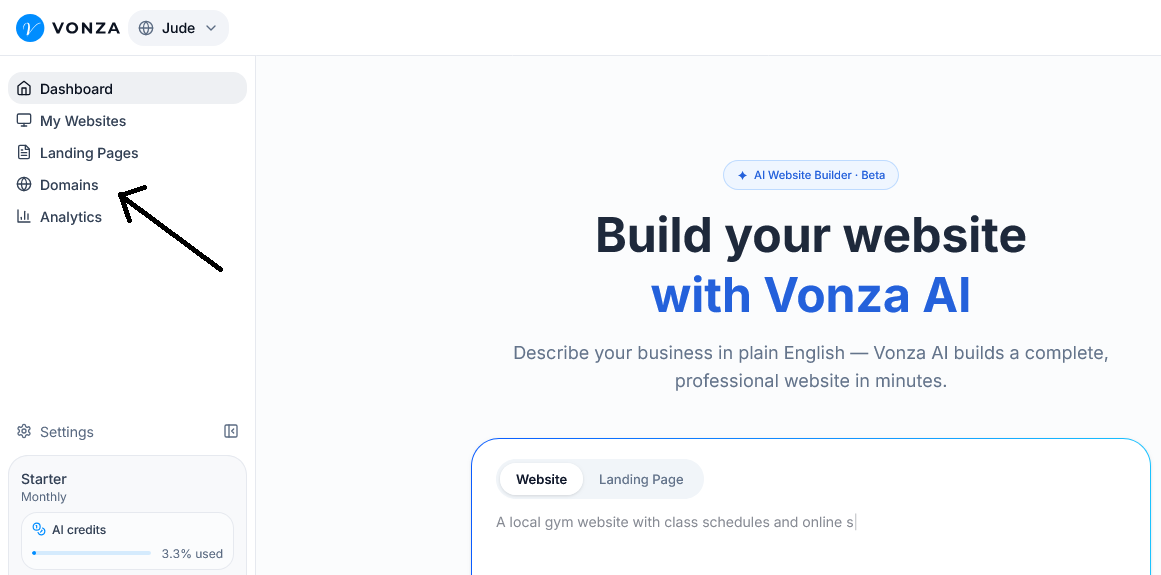
3. Navigate to Domain.
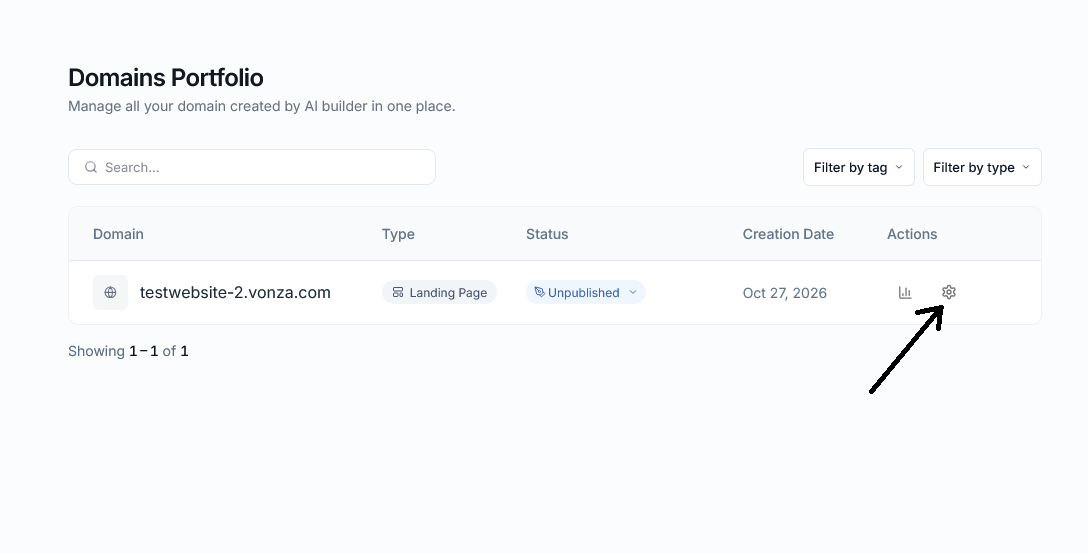
4. Select Your Website Domain.
Under Domain, Click on the domain you want to connect to your AI Builder website
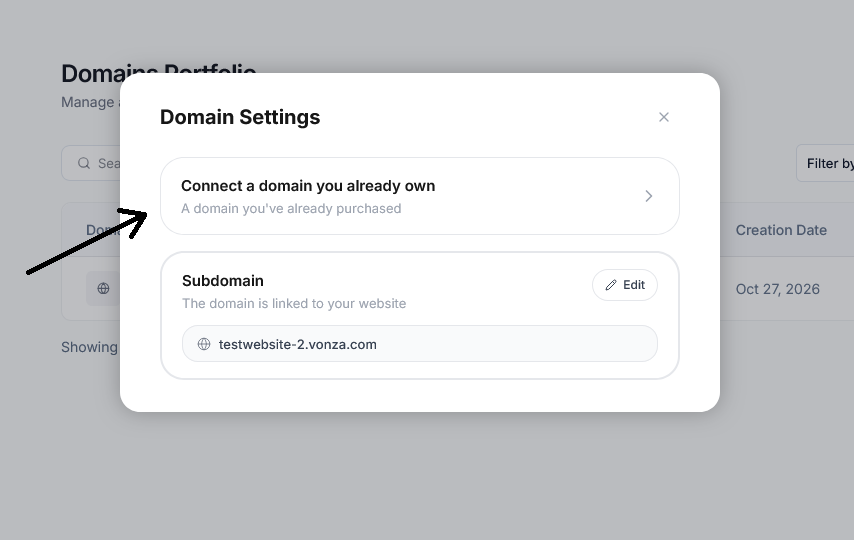
5. Enter Your Custom Domain
Enter the custom domain you want to connect and follow the prompts displayed on your dashboard.
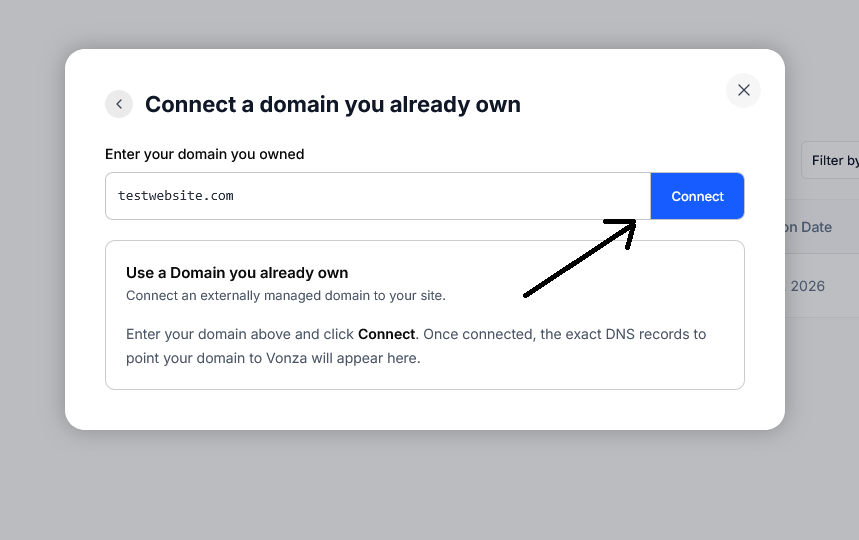
6. Copy Your DNS Records
Copy the DNS records provided by your vonza dashboard. You will need these details to configure your domain settings with your domain hosting provider.
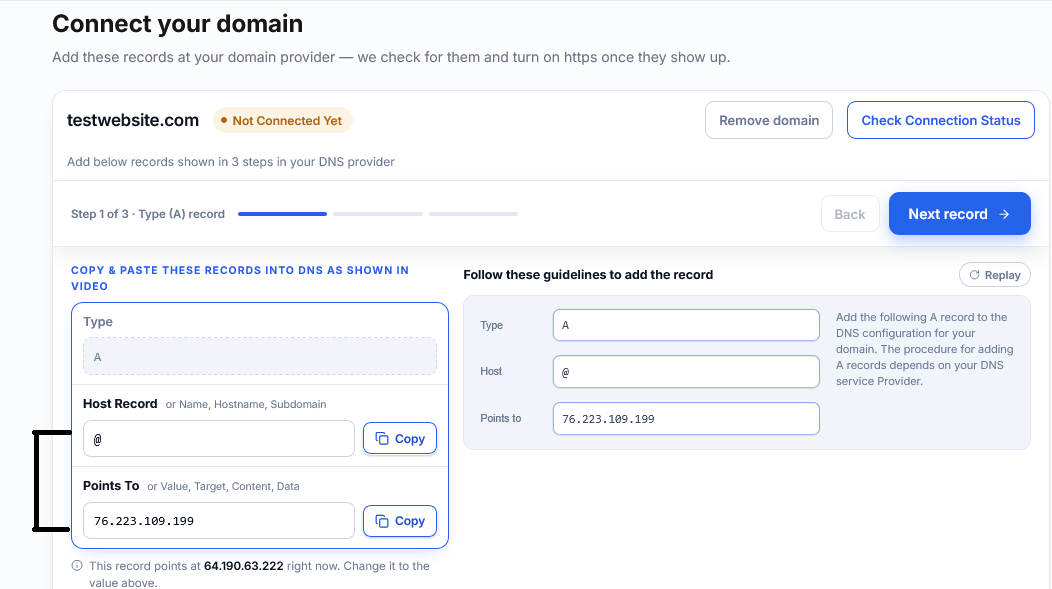
Copy A records
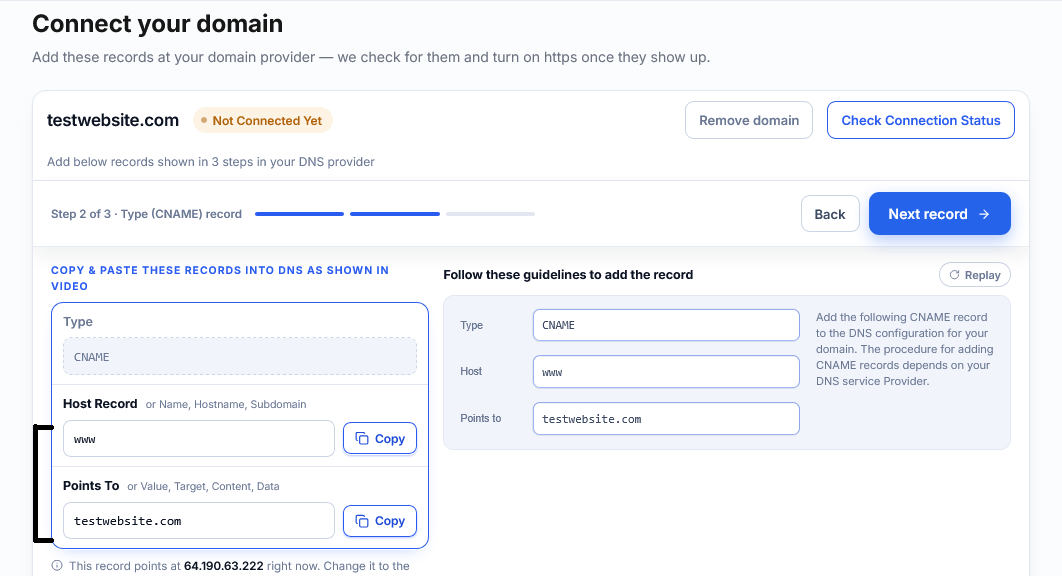
Copy CNAME records
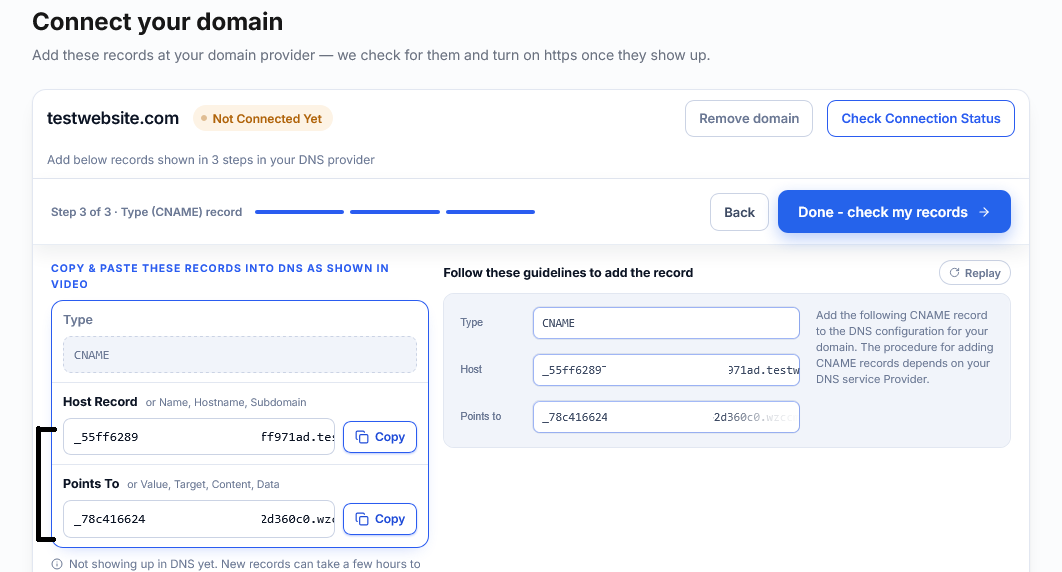
Copy CNAME records
From Your Domain Hosting Site (DNS Settings Page)
6. Create a CNAME record to the DNS configuration for your domain (on your GoDaddy, Namecheap etc.) and paste the Host Record and Point to values you copied earlier into the Name and Data record. TTL = 1/2 Hour
7. Add a CNAME record for www entry.
8. Next, you need to edit your A record: Name = @ and Data Value = IP Address (copy Value record from your Vonza dashboard domain setting). TTL = 600 seconds.
9. Your site will show "Your connection is not Private". Do nothing.
10. Wait for about 20 to 30 minutes for your website to be connected with the domain security certificate. Refresh your browser and then check.